Create my company

Navigation menu

ShareSign in
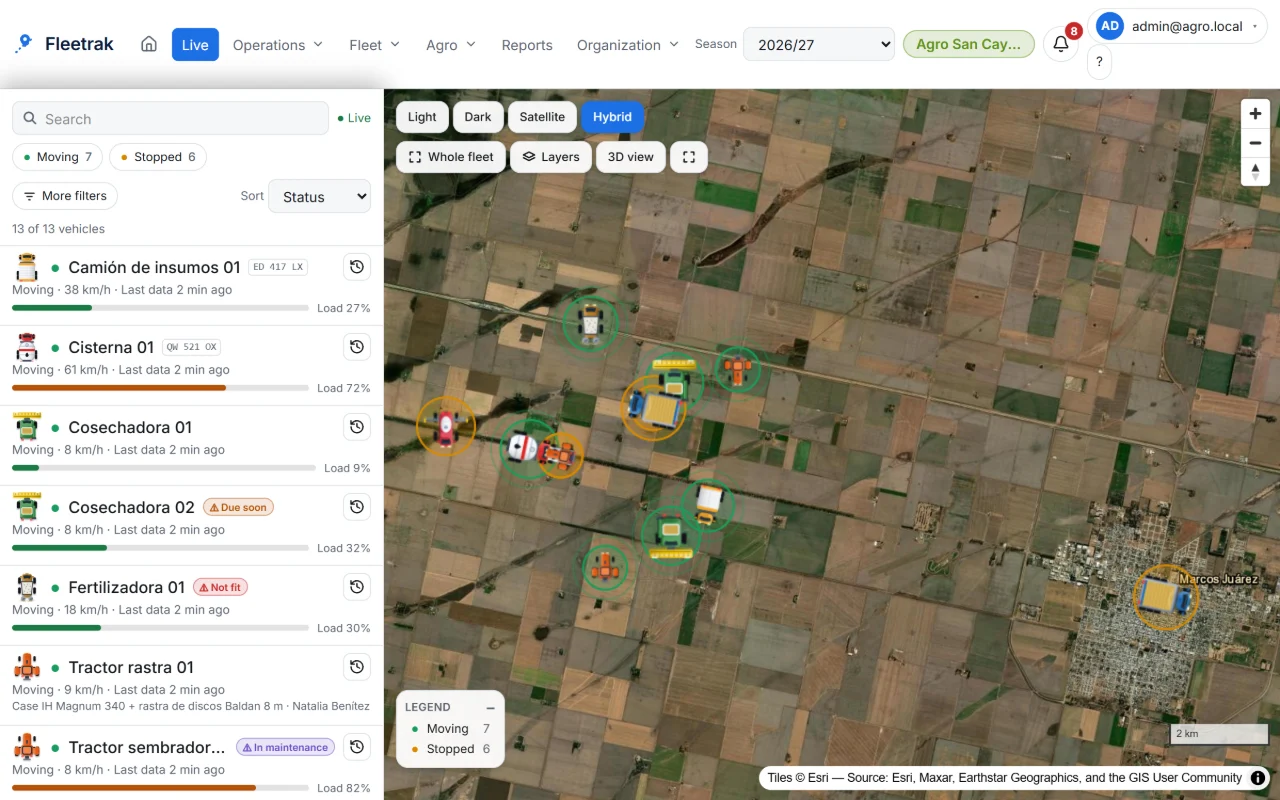
Real aerial view of farm fields, as seen on the Fleetrak map.

For contractors, growers and working fleets

Every job measured and ready to bill. Any machine brand, even with no signal.

Fleetrak records every job on the operator's phone or tablet and turns it into a certificate per client, field and job. No equipment to buy.

Create my company free

30 days free trial, up to 2 vehicles. No credit card required. See how it works

Request a demo

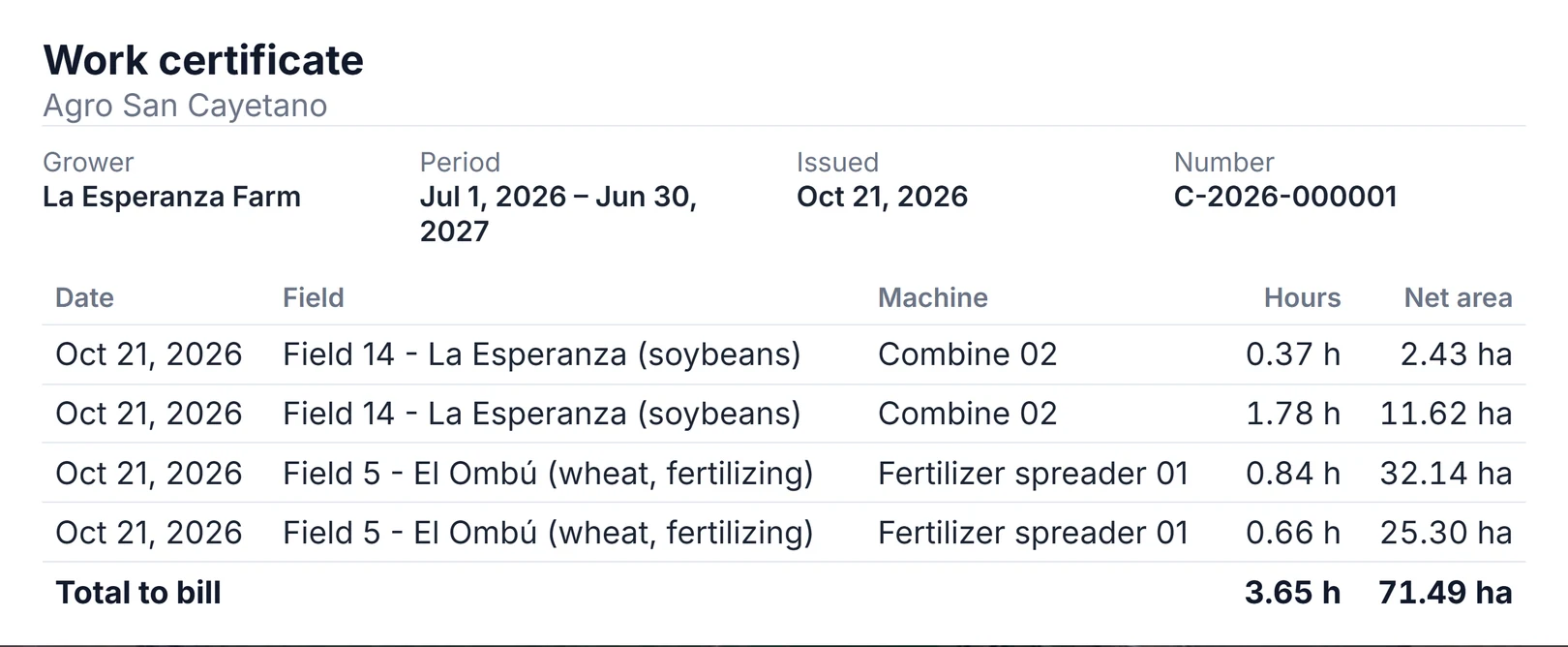
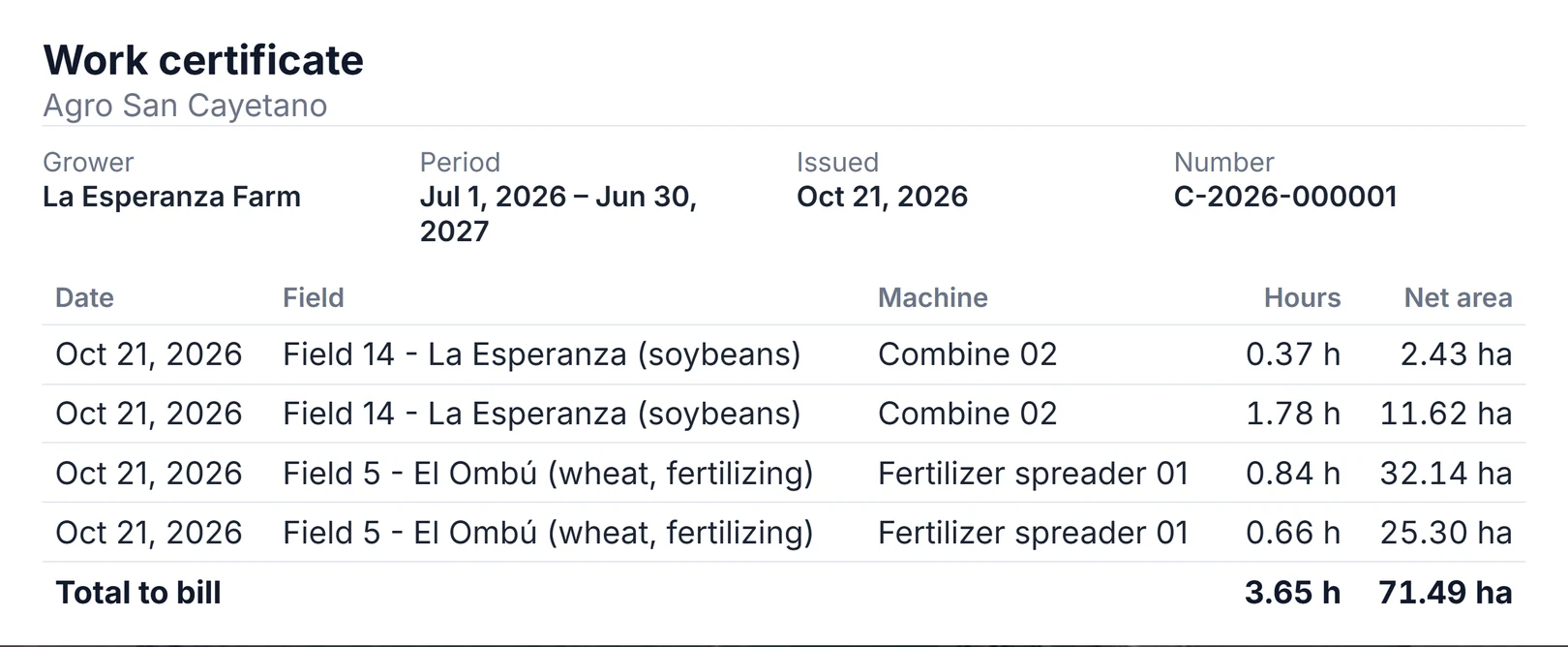
Work certificate

Agro San Cayetano

Grower
La Esperanza Farm
Period
Jul 1, 2026 – Jun 30, 2027
Issued
Oct 21, 2026
Number
C-2026-000001
DateFieldMachineHoursNet area
Oct 21, 2026Field 14 - La Esperanza (soybeans)Combine 020.37 h2.43 ha
Oct 21, 2026Field 14 - La Esperanza (soybeans)Combine 021.78 h11.62 ha
Oct 21, 2026Field 5 - El Ombú (wheat, fertilizing)Fertilizer spreader 010.84 h32.14 ha
Oct 21, 2026Field 5 - El Ombú (wheat, fertilizing)Fertilizer spreader 010.66 h25.30 ha
Total to bill3.65 h71.49 ha
Example

Real aerial view of farm fields, as on the Fleetrak map. Imagery: Esri, Maxar, Earthstar Geographics.

Tested before we promise it

We don’t publish customer stories yet, so here is what we measured instead. These figures come from the automated tests that run on every code change.

without signal, simulated in the app engine test
48 h
points stored on the phone and sent after reconnecting
34,560
points lost
0
duplicate points
0
from receipt to the map, in integration tests
< 1 s
median from GPS to the map on a real tablet
4.7 s
  • History that arrives late and out of order produces exactly the same trips, stops and distance as if it had arrived in order.
  • From Fleetrak receiving a position until it appears on the map takes under 1 s in integration tests. On a real tablet, we measured a median of 4.7 s from the GPS reading.
  • Sending the same points again does not duplicate them: each position is saved only once.

We also tell you what we haven’t measured yet: battery life with the screen off across several phone models and distance error against the odometer still need field tests we haven’t run.

See security and privacy in detail

The signal drops. The work goes on.

Everything the operator records is stored on the phone or tablet first. When the signal returns it uploads by itself, in order and without duplicates. Anything that has not arrived is never deleted.

  1. No signal The tablet keeps recording the track, the pauses, the hour meter and every diesel fill-up.
  2. Signal is back What was stored uploads by itself: the office sees the full progress without anyone touching a thing.
  3. Job complete The field gets its estimated area and the job moves to the client’s certificate.
Illustration with demo data: a planting job with a stretch without signal.

Built for the people who do the work and bill for it.

Three things you see in the field and bill from the office, with the phones or tablets you already have.

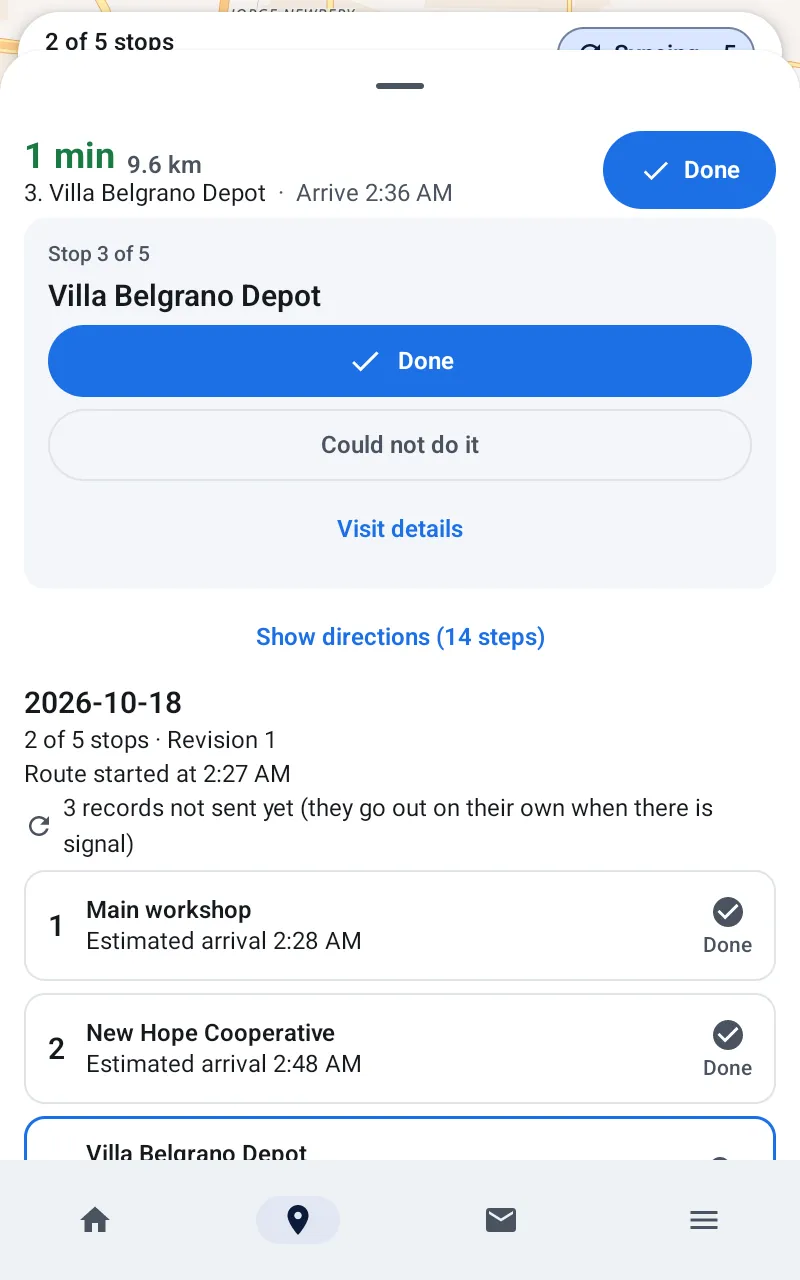
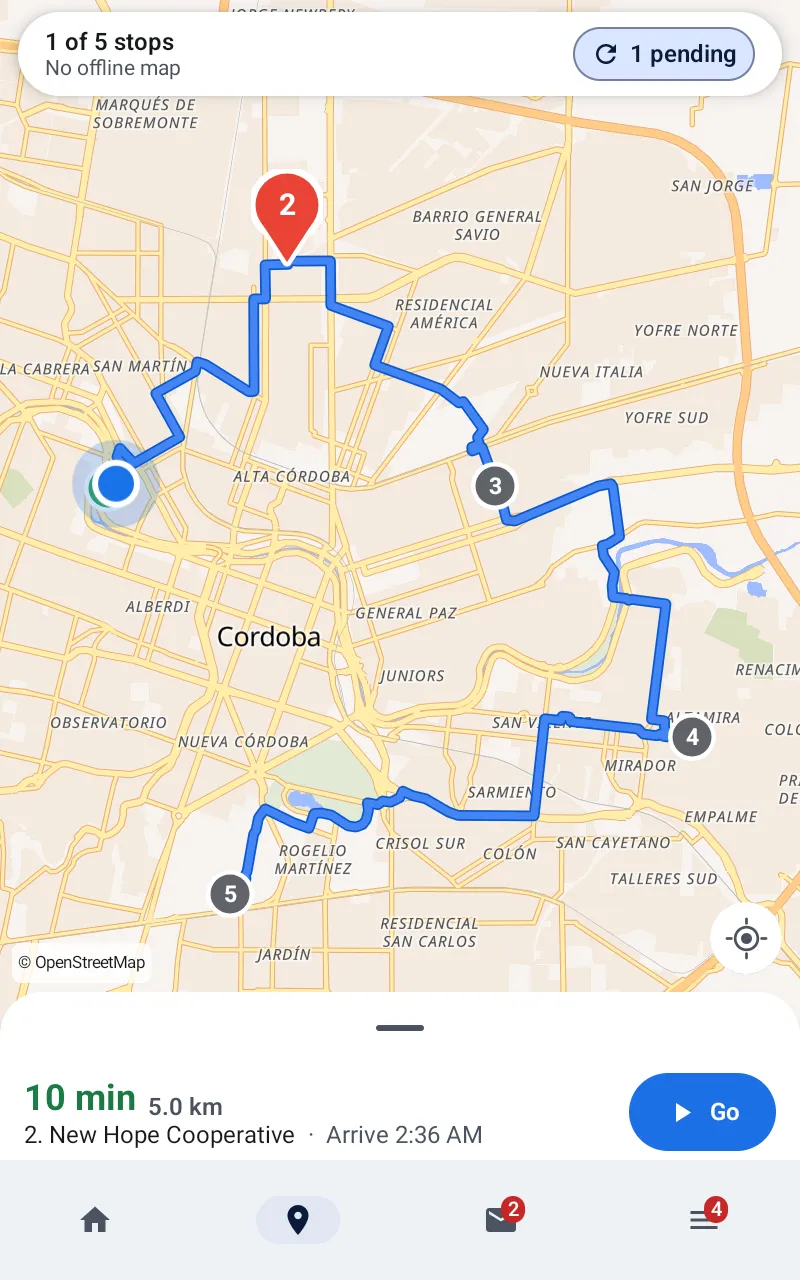
Real screenshot of the app on the tablet: the day's route with the records waiting for signal to upload.

No signal? Nothing is lost.

Job start, pause and finish, hour meter, diesel and track are saved on the phone or tablet first. When the signal returns they upload on their own, in order and without duplicates. What has not arrived is never deleted.

Automated test: 48 h with no signal, 34,560 points, 0 lost.

See it in 10 seconds
Real work certificate from the demo: producer, period, number and one line per field with machine, hours and net area; total to bill 71.49 ha.

Every field, ready to bill.

Area is estimated from the track and the implement width, with overlap removed. The certificate comes out per client, one line per field and job, numbered and frozen when issued.

We don't issue invoices: we give you the backup to bill.

From field to certificate
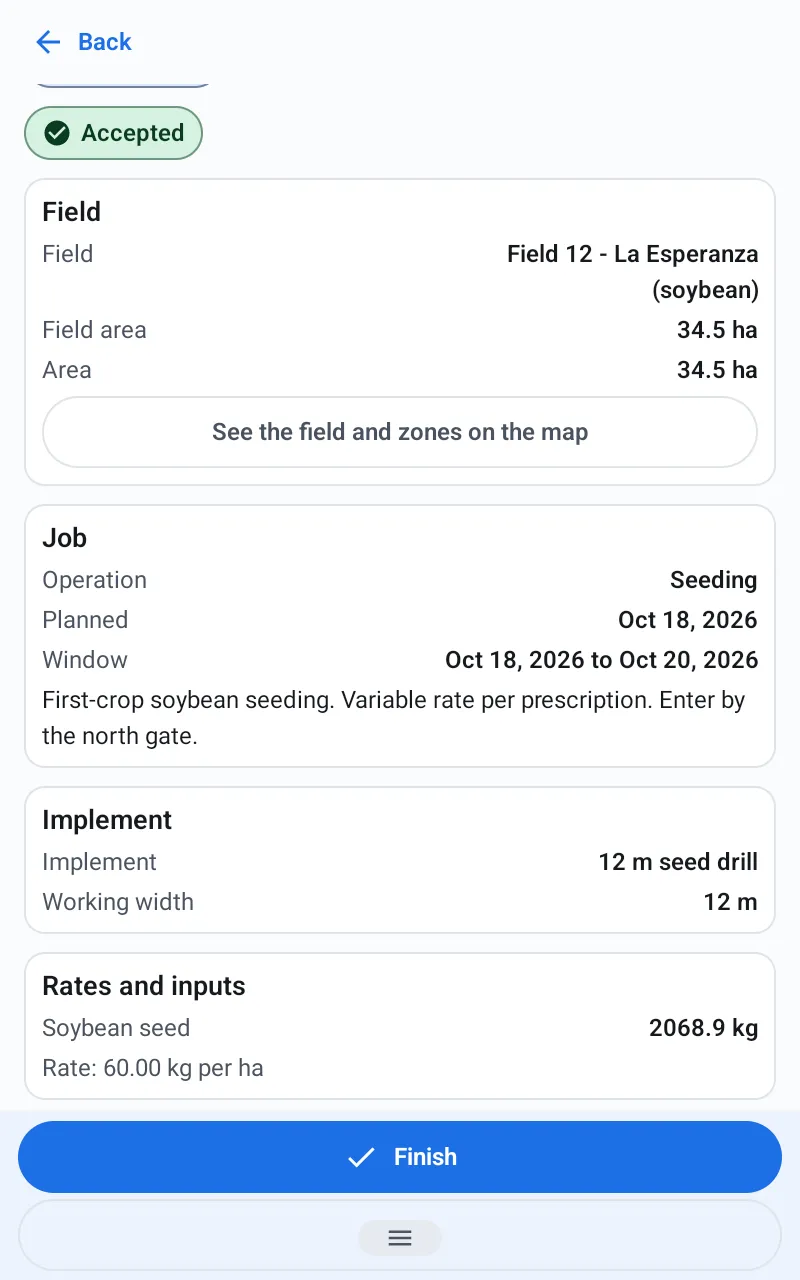
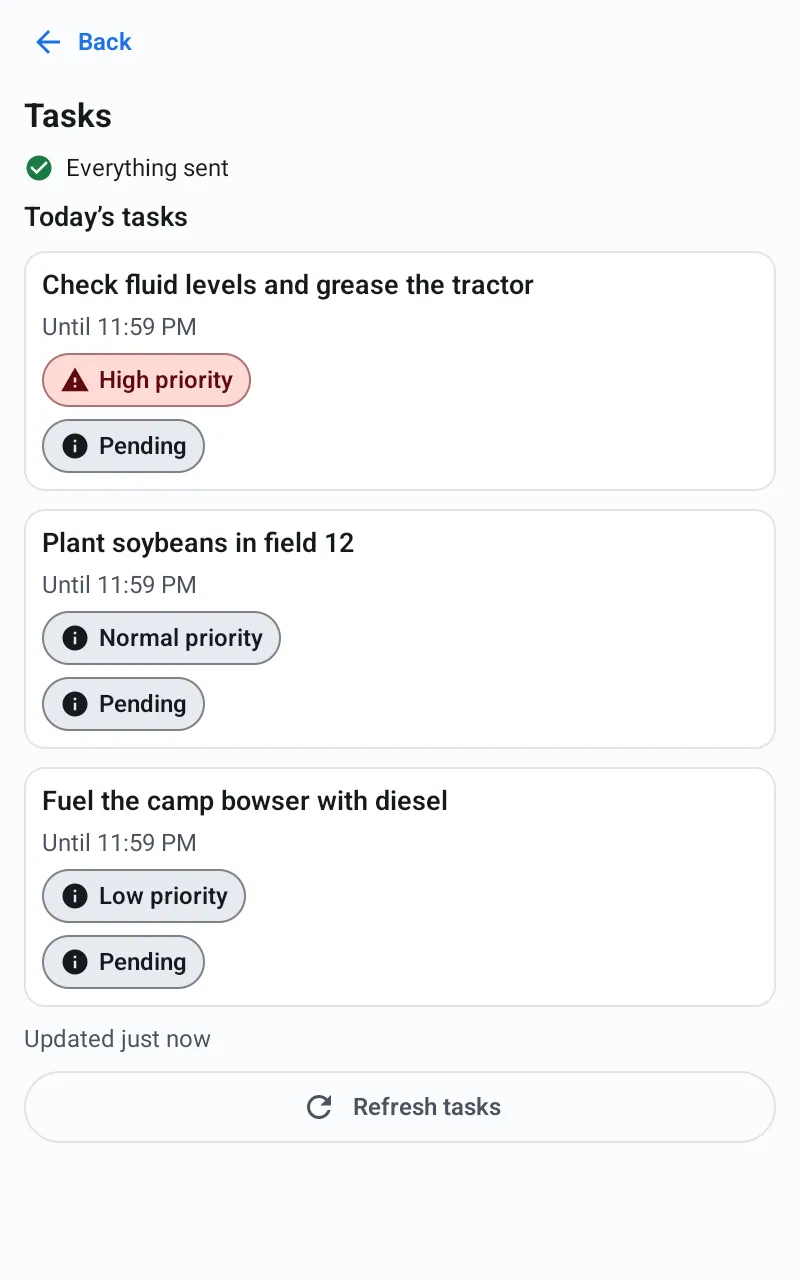
Real screenshot of the app on the tablet: a seeding order for field 12 with implement, rate and the Finish and Pause buttons.

Any machine. Or a fixed tablet in the cab.

It runs on the Android phone or tablet the operator already has, whatever the machine brand, and connects with a QR code. For machines that work all day, Fleetrak on board: an industrial tablet wired to the vehicle's power, with the same app.

You don't buy hardware to start; the on-board kit is optional and built to order.

Not yet: reading the hour meter and fuel from the machine itself.

Discover Fleetrak on board

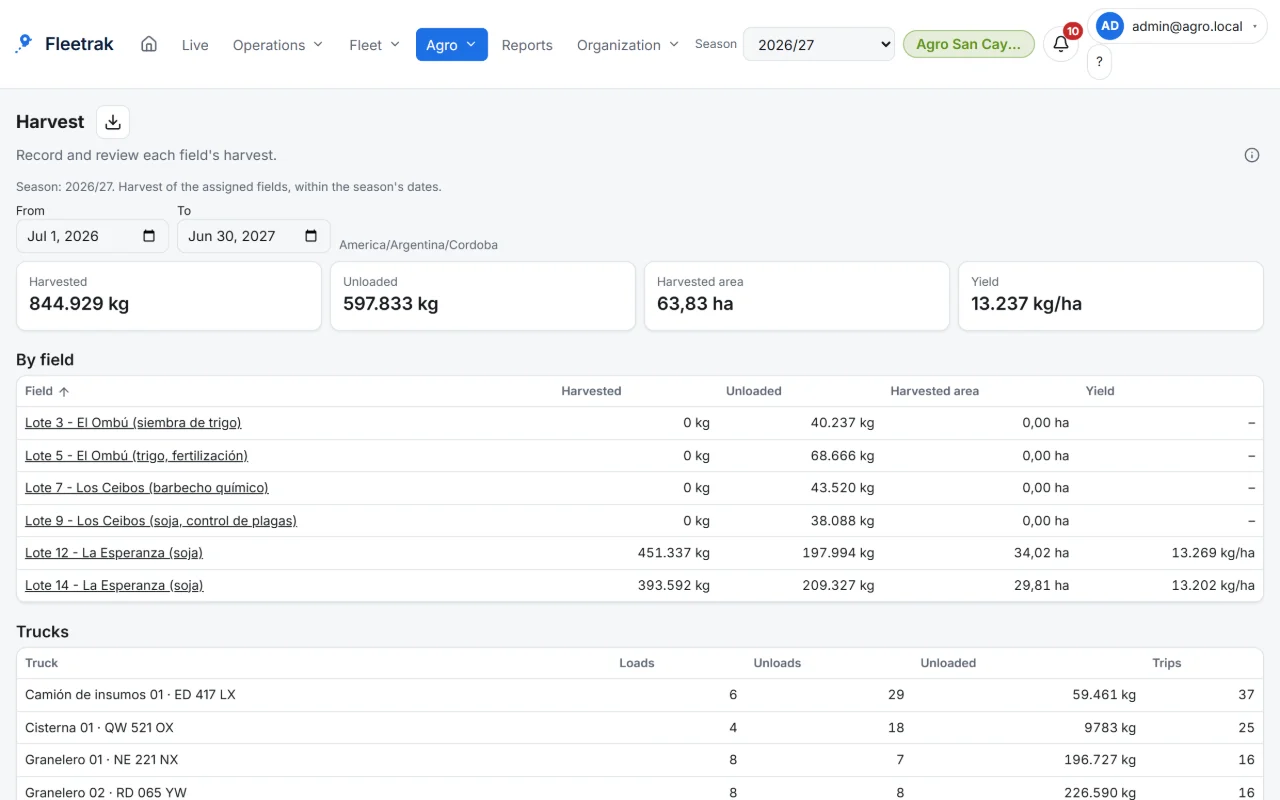
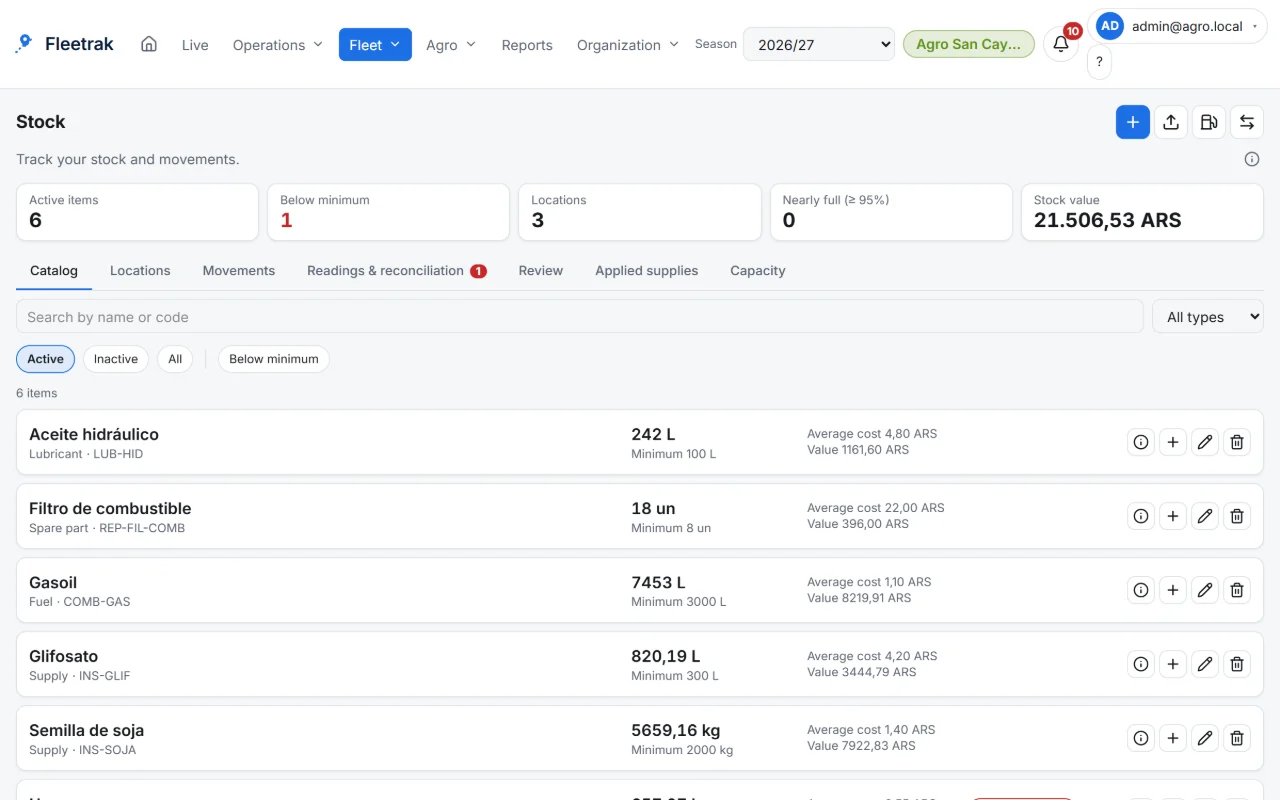
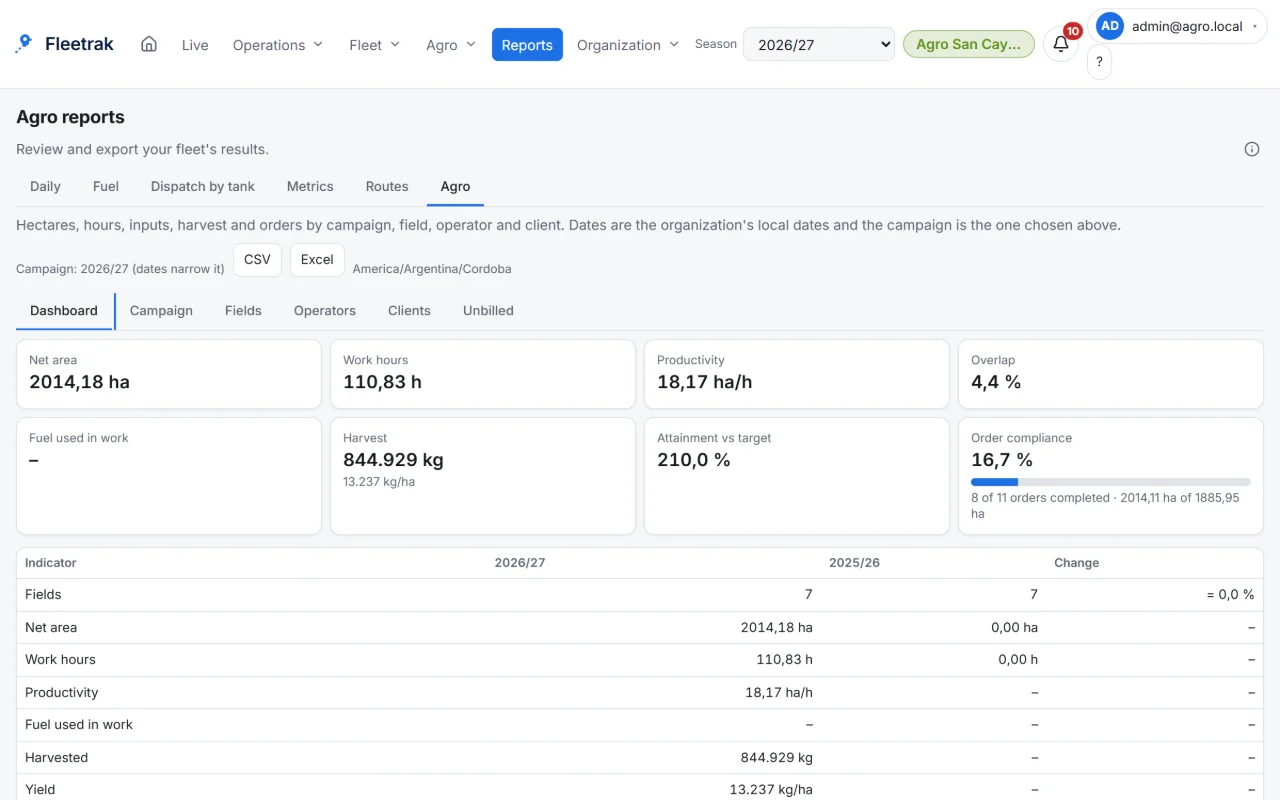
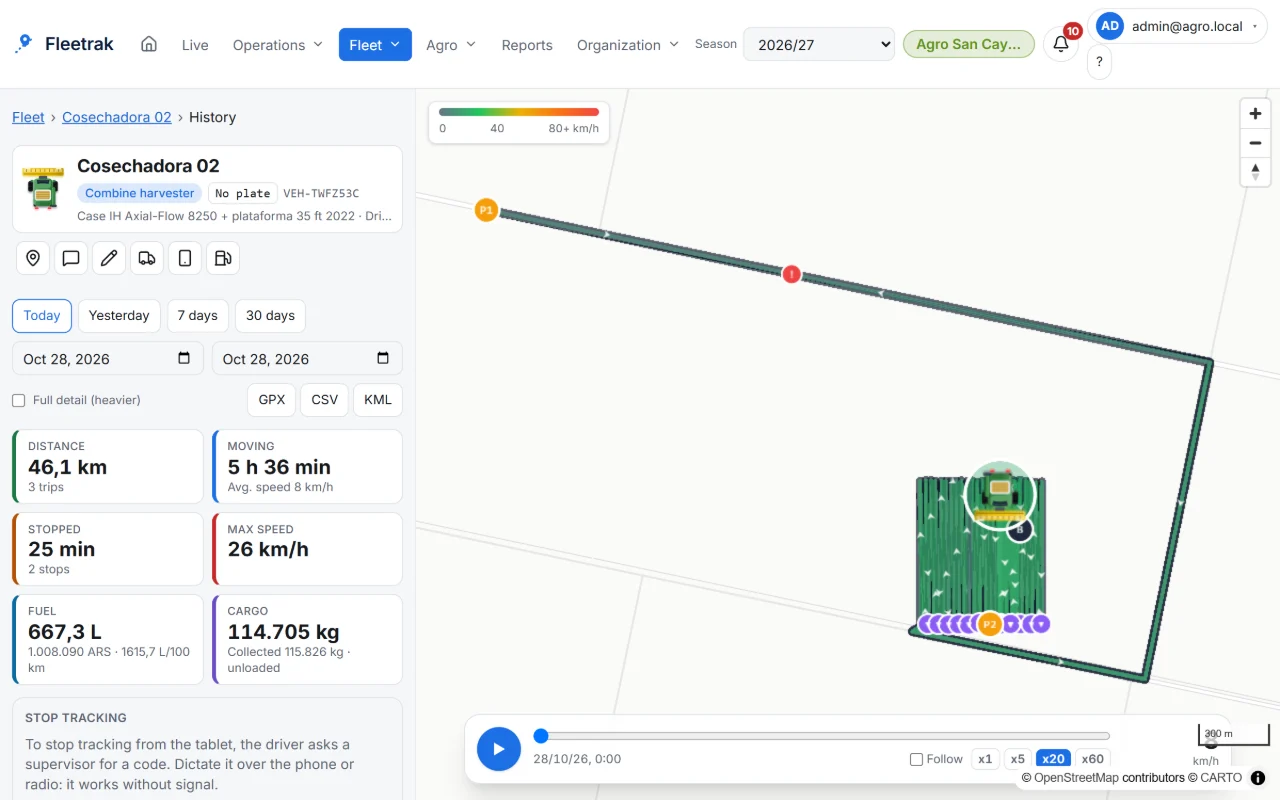
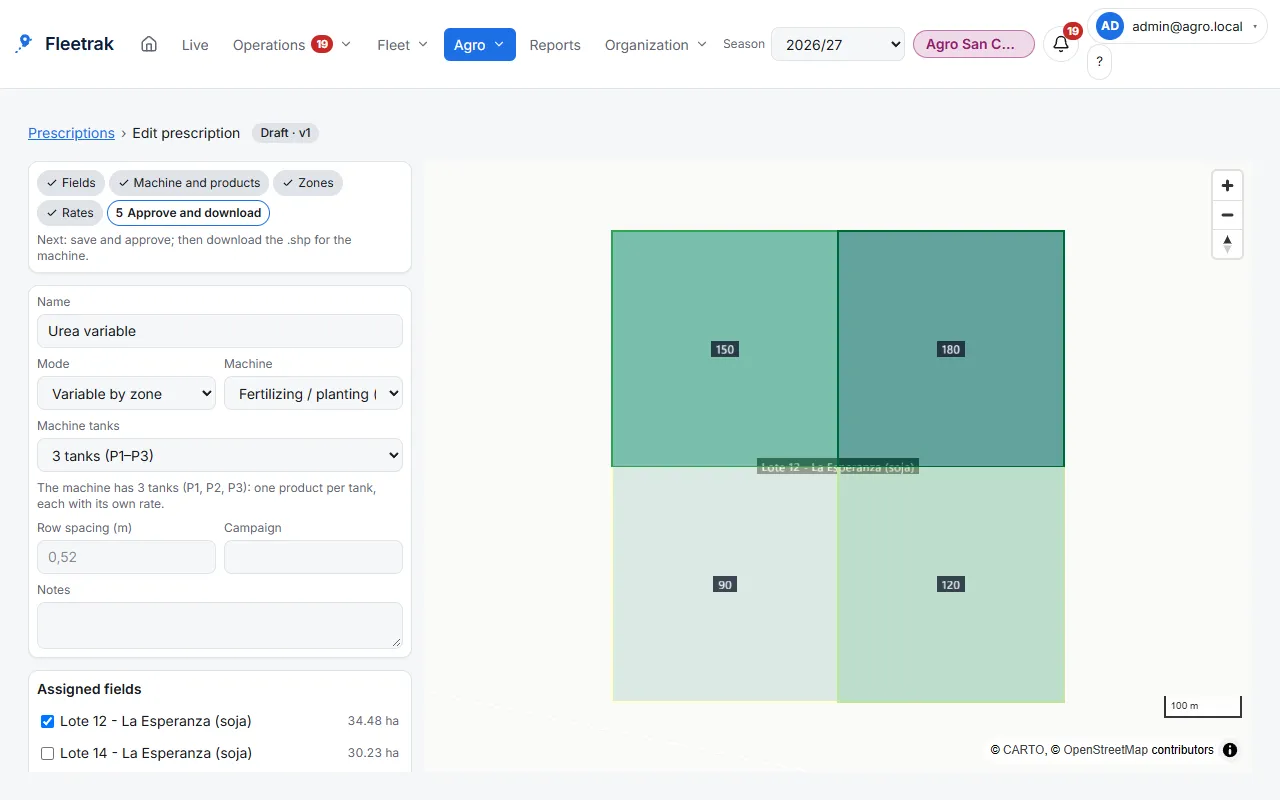
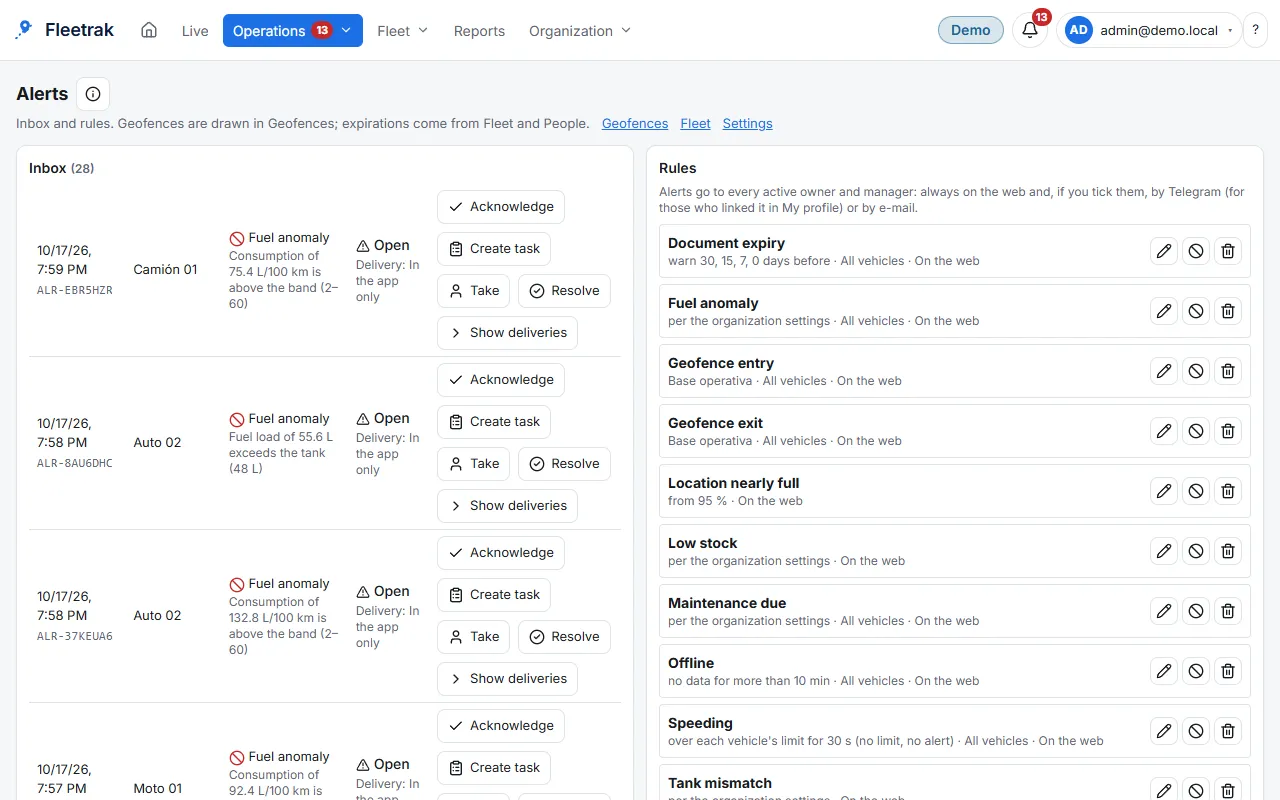
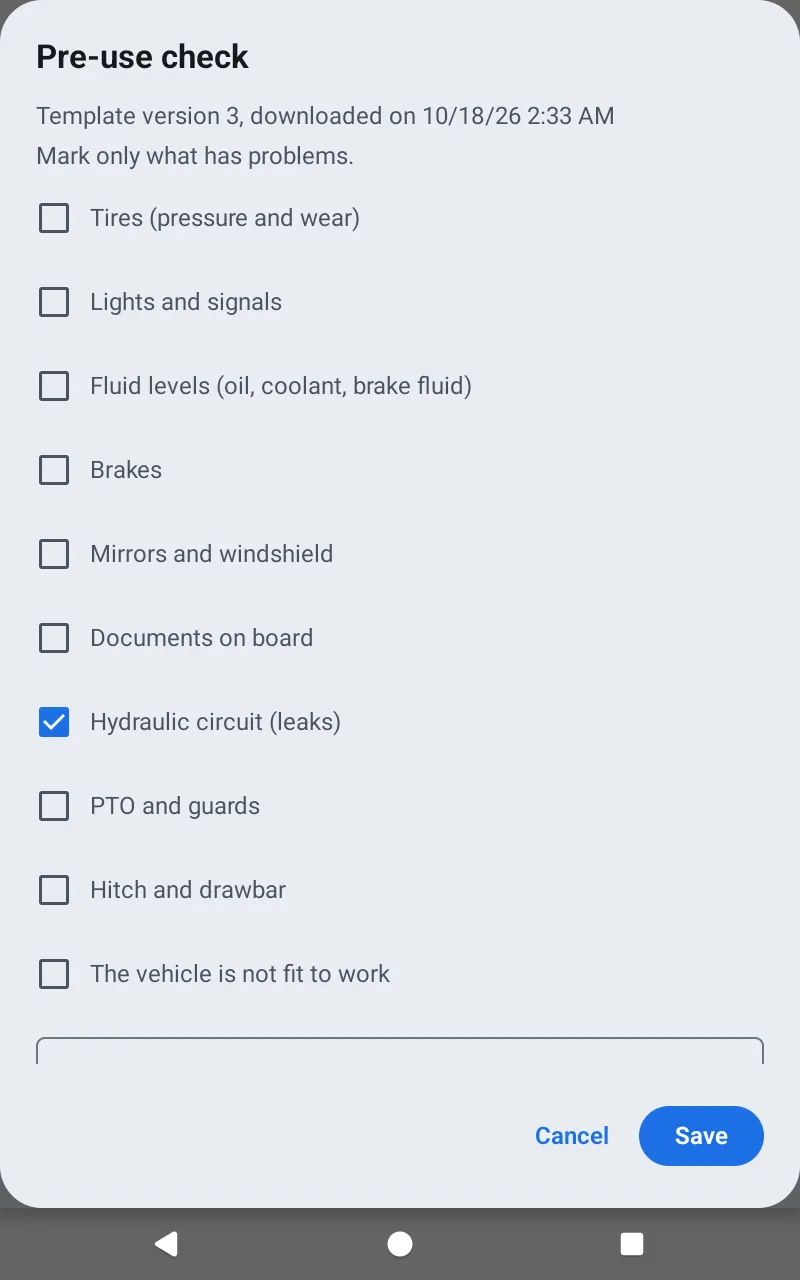
Real Fleetrak screenshots with demo data.

From the field to the certificate

This is how Fleetrak follows a farm job, from the work order on the tablet to the certificate you bill each grower with. Other industries follow the same four steps.

  1. 1Plan and assign

    The order reaches the tablet

    You assign a field job to a machine and its operator. On the tablet they see the field, the implement and the rate.

    Real screenshot of the app on an Android tablet: planting order with the field, the implement and the rate (demo data).
  2. 2Work and record

    Work goes on with or without signal

    Every position and every report is kept on the tablet. When the signal returns they upload by themselves, in order and without duplicates, and are not deleted until they arrive.

  3. 3Review and control

    You see the hectares

    Hectares estimated from the track and the implement width, with overlap removed, against what the order planned.

  4. 4Close and report

    A certificate per grower

    With a rate for each job, the certificate shows the hectares and the amount for each grower, ready to print.

Without signal, the phone or tablet saves every position and event. When connected again, it sends them and waits for confirmation before deleting them. The office sees that section once the information arrives.

The same four steps in your industry

  • Freight & logistics

    1. 1. Plan and assignYou load the orders and build the day’s route sheet
    2. 2. Work and recordThe driver follows the stops and marks each arrival, also without signal
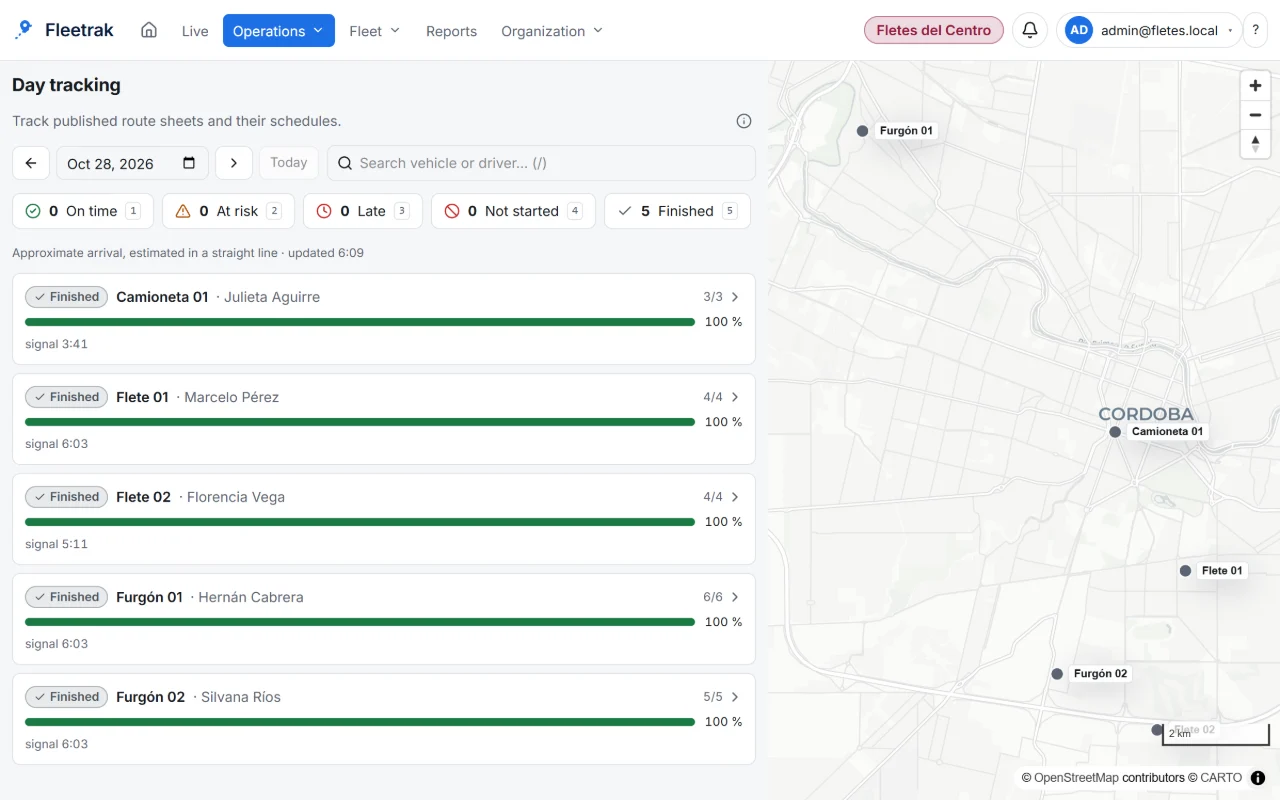
    3. 3. Review and controlYou see delays and estimated times on the day board
    4. 4. Close and reportThe order ends up delivered or not delivered, and your customer sees it on their link
  • Field service & sales

    1. 1. Plan and assignYou assign the day’s visits to each technician or sales rep
    2. 2. Work and recordEach one reaches the customer and records the visit outcome
    3. 3. Review and controlYou follow progress and message the team if needed
    4. 4. Close and reportYou reschedule what is pending and review the day in the history
  • Municipal & waste collection

    1. 1. Plan and assignYou repeat each zone’s route with a template
    2. 2. Work and recordThe vehicle drives and stops: everything is recorded
    3. 3. Review and controlYou get alerts for zones and for vehicles that stop reporting
    4. 4. Close and reportYou review the day’s route and export the report
  • Mining

    1. 1. Plan and assignYou organize the day’s equipment and each one’s stops
    2. 2. Work and recordEach unit records its route, with or without signal
    3. 3. Review and controlYou control fuel, maintenance and expirations
    4. 4. Close and reportYou review hours and stops per unit and export the report
  • Oil & gas

    1. 1. Plan and assignYou plan each vehicle’s or tanker’s route between your sites
    2. 2. Work and recordThe driver follows the route sheet and marks each arrival, with or without signal
    3. 3. Review and controlYou control the tanker load, tank readings and alerts
    4. 4. Close and reportYou review the day’s service and export the report

See the product screens (demo data)

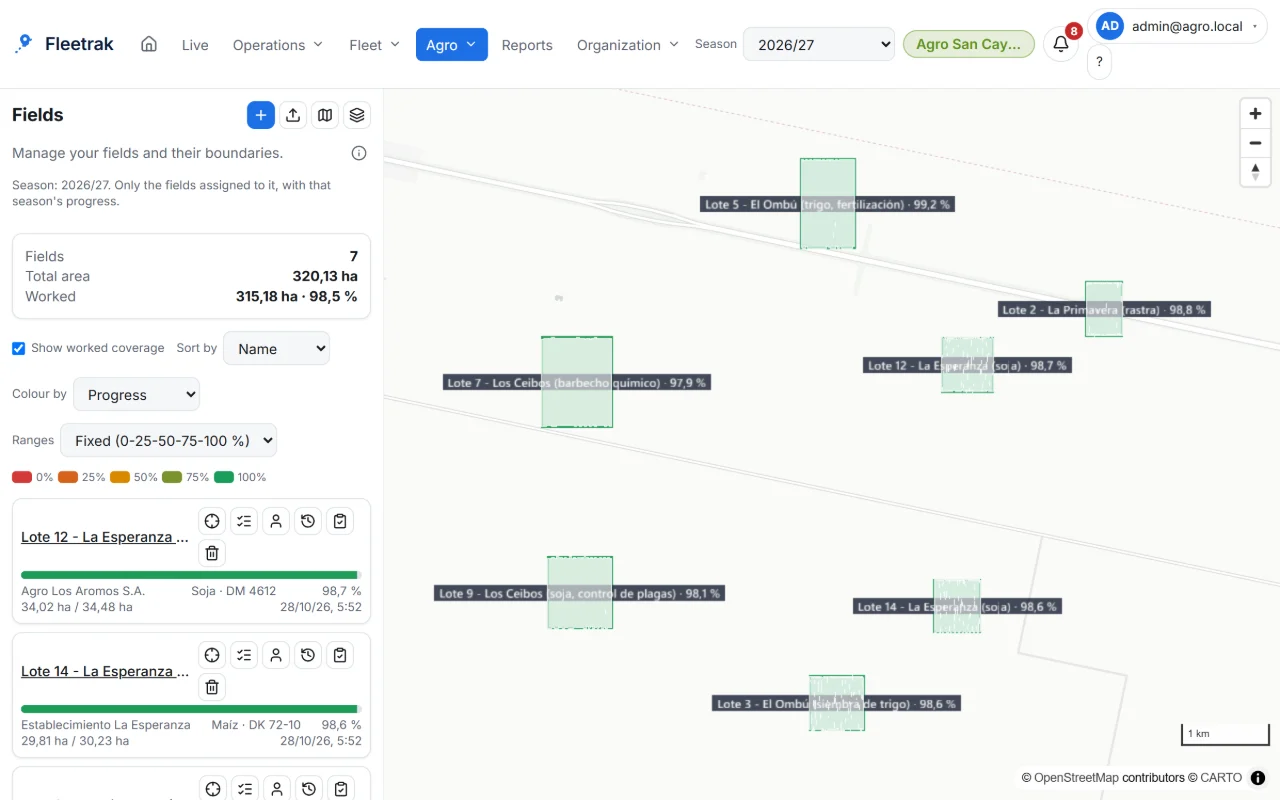
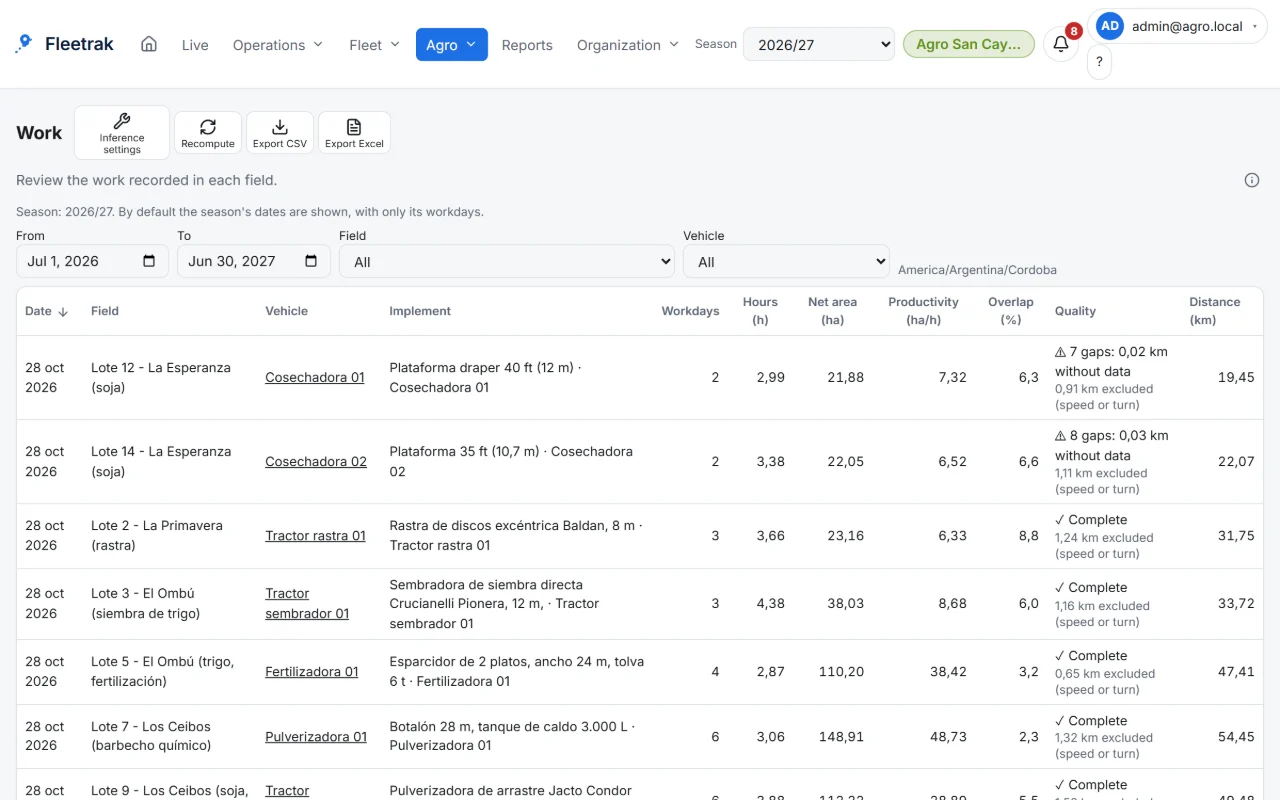
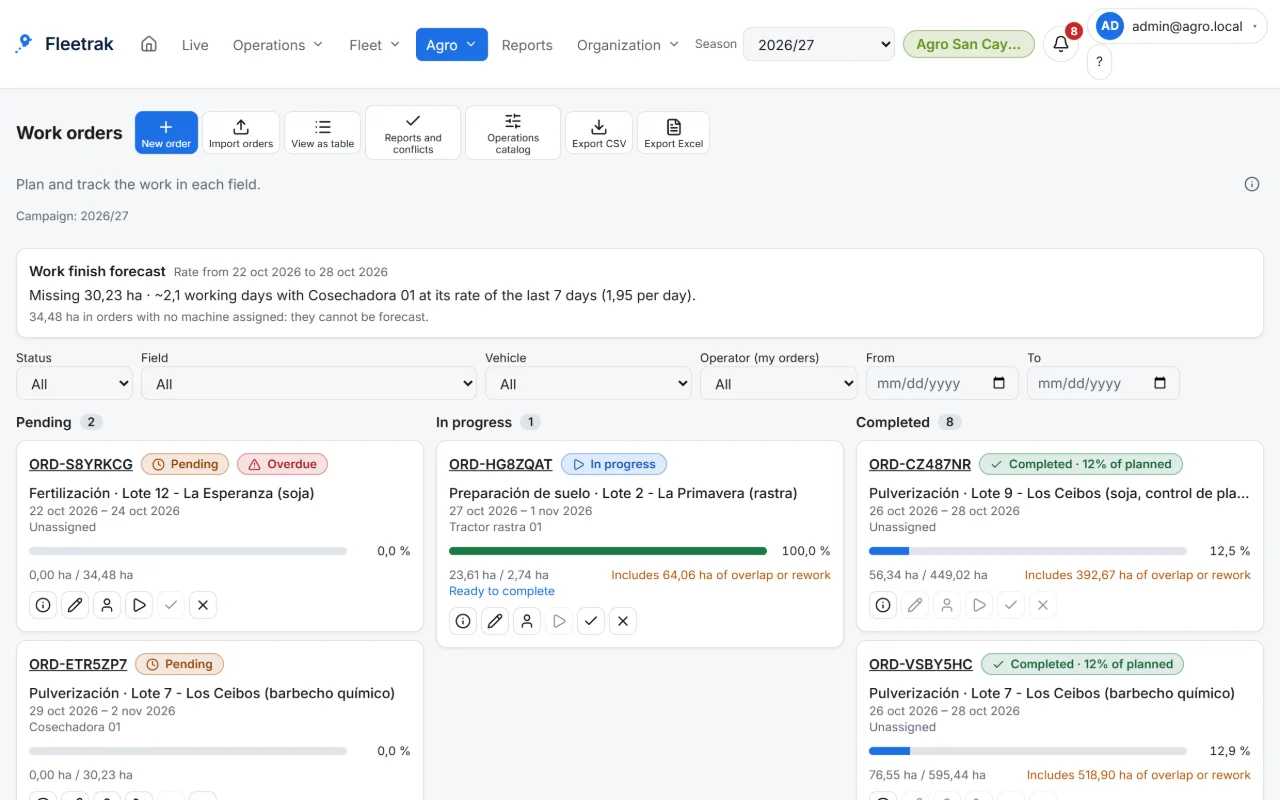
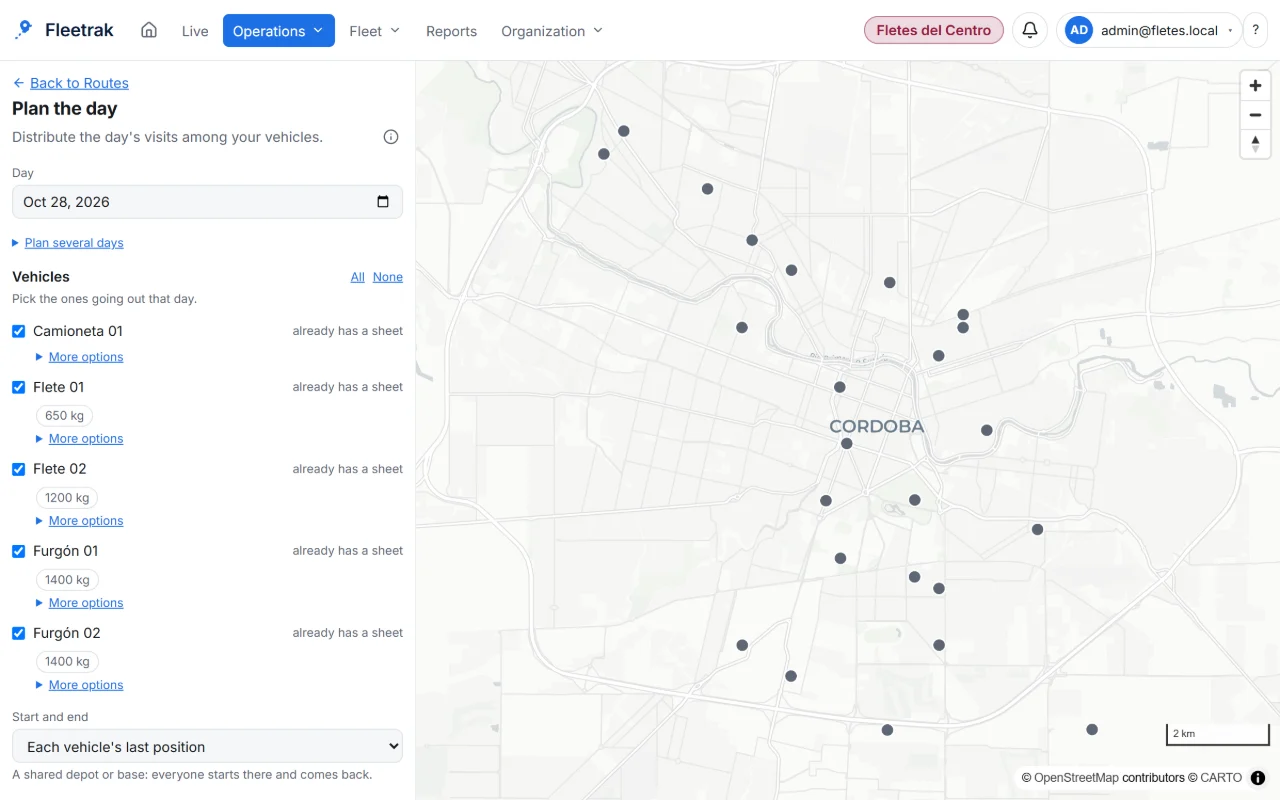
Real product screens with the farming demo: machinery on the map, fields, hectares, work orders, harvest, supplies and reports.

Screens from the real product with simulated data from the farming demo.

Built for the way you work

The same tools, focused on what each line of business needs. Pick yours to see what you can do today and what is worth asking about.

  • Municipal services, public transport and city works

    Answer with data where each bus or collection, sweeping or city-works vehicle was, how long it stopped and whether it went through each zone.

    See the details — Municipal & waste collection
  • Mining: contractors and support fleets

    Trucks, machinery and support vehicles working far away, sometimes without coverage: what each unit did and how much fuel it used.

    See the details — Mining
  • Oil and gas: vehicles, tankers and support equipment

    Vehicles, crews and tankers moving between sites: where they are, what they loaded and which equipment needs service.

    See the details — Oil & gas

Your data is yours

A person’s location is personal data. Fleetrak is meant to be used with the driver’s knowledge, and your company decides what is kept and for how long.

  • Export and delete

    The account owner can export and delete the data of each vehicle.

  • Consent on record

    Each phone or tablet stores the driver's consent when it is connected.

  • Configurable retention

    Your company decides how many days location data is kept.

  • Secure access and audit trail

    Encrypted connections, protected passwords and an audit log of access and changes.

  • Your data under control

    Fleetrak stores your data without third-party tracking platforms. Contact us if your company needs to keep it in its region.

  • No paid licenses

    Our own code, with no third-party tracking SDKs. Every dependency’s license is checked automatically on each change.

Where Fleetrak does not win: it depends on the phone or tablet (battery and Android permissions), the app is Android only and iPhones use Traccar Client. A tracker wired to the vehicle's 12 V does not depend on anyone charging it.

See security and privacy in detailRead the privacy policy (draft)About usContact

Can you answer these questions today without making a call?

If any of them made you hesitate, that is where money, time or control is slipping away. Fleetrak answers them with data from your own operation.

  • TodayHow many hectares were done yesterday, in which field and with which machine?

    With FleetrakProgress by field and by job, with the area calculated from each machine's track.

  • TodayWho fueled up this week, how much and from which tank?

    With FleetrakEvery fill-up with its time, machine, operator and the tank balance at that moment.

  • TodayWhere was the truck when the customer says you never showed up?

    With FleetrakThe route history, replayable minute by minute, with every stop.

  • TodayWhich machine is down waiting for a part, and since when?

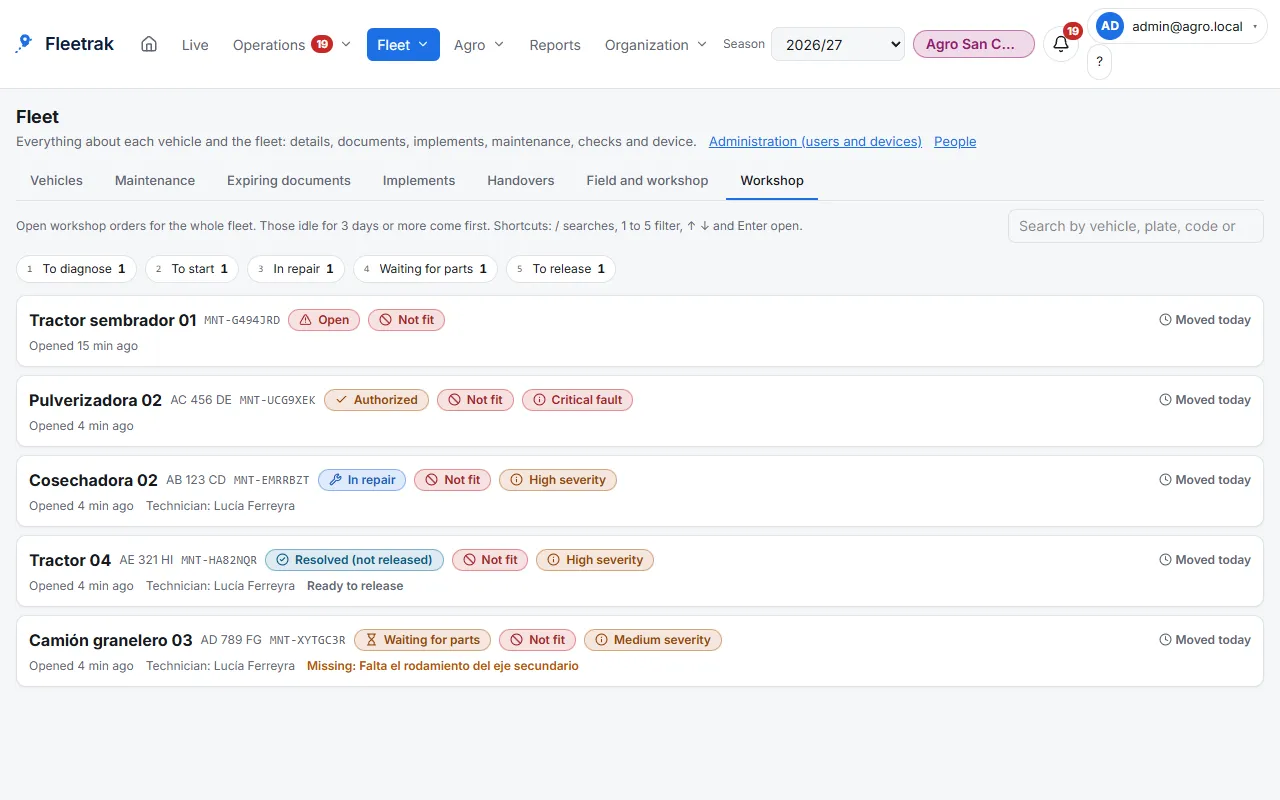
    With FleetrakFaults, workshop orders and the status of every machine on one screen.

  • TodayWhat did the operator do in the field with no signal?

    With FleetrakEverything is saved on the tablet and arrives on its own, in order, when the signal returns.

  • TodayWhose license or vehicle inspection expires this month?

    With FleetrakPeople and vehicle expiry dates in plain sight, with a heads-up before they lapse.

  • TodayWas today's route sheet completed, stop by stop?

    With FleetrakEvery visit with its arrival, waiting time and outcome, against the plan.

  • TodayIs the rate the planter applied the one the agronomist decided?

    With FleetrakThe prescription leaves Fleetrak in the format the machine's monitor reads.

Every answer you are missing today is a decision you make blind.

I want these answers

Try it with your fleet this season.

  1. Create your company in Fleetrak for free.
  2. Connect the operator's phone or tablet with a QR code.
  3. Watch every job come in, signal or not.

Looking for the latest version…

Step-by-step guide: install and connect

30 days free trial, up to 2 vehicles. No credit card needed to start.

Request a demo

Or write to us: