Your transport and delivery fleet, always located
For freight, delivery and service companies: fewer calls, fewer unexplained kilometres and documents up to date.
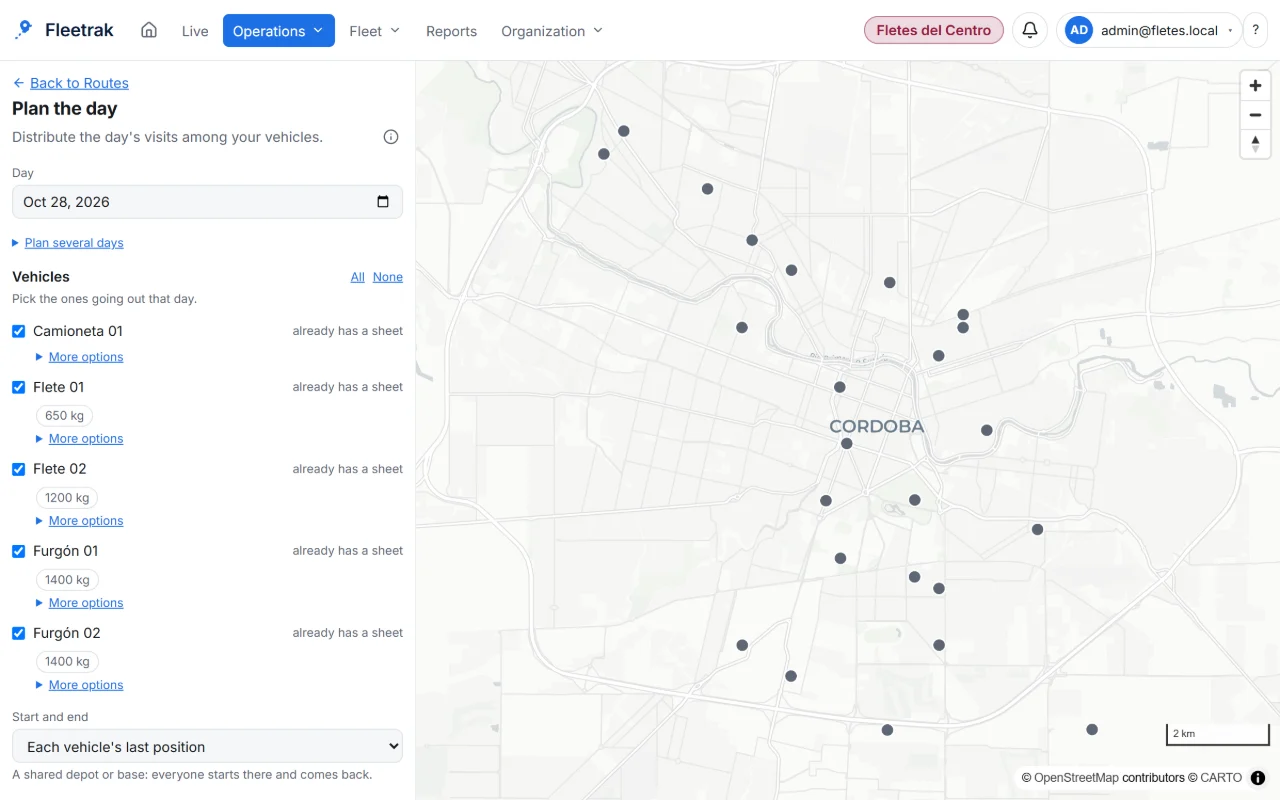
The problem
Every truck and every delivery is out on the road and the plan is not visible. Without a dashboard, knowing where each one is, who is running late and what was delivered takes phone calls.
What you can do
Live tracking
Status and position of every truck, van or courier, with the time since the last data.
- Filters by type, status or group
- Center, follow and copy coordinates
- Message a driver from the map
Automatic trips and stops
The system separates trips from stops and calculates distance over the full route.
- Day-by-day playback
- Kilometres per day and per vehicle
- CSV and Excel reports
Fuel
Log fill-ups, calculate consumption per 100 km and get alerts for fill-ups or consumption outside what is expected.
- Dispatch per tank
- Reconciliation with the physical reading
- Cost per vehicle
Documents, maintenance and checks
Expiry traffic light, plans by km, hours or days and check-lists per vehicle type.
- Insurance, permits and services
- Fit, expiring or not-fit status
- People and documents per person
Geofences and alerts
Notices on entering or leaving depots and delivery zones, for speeding or for a vehicle offline.
- Web and Telegram notifications; email when enabled
- Out-of-hours vehicle alert
- Late alerts without spam
This is what Fleetrak looks like
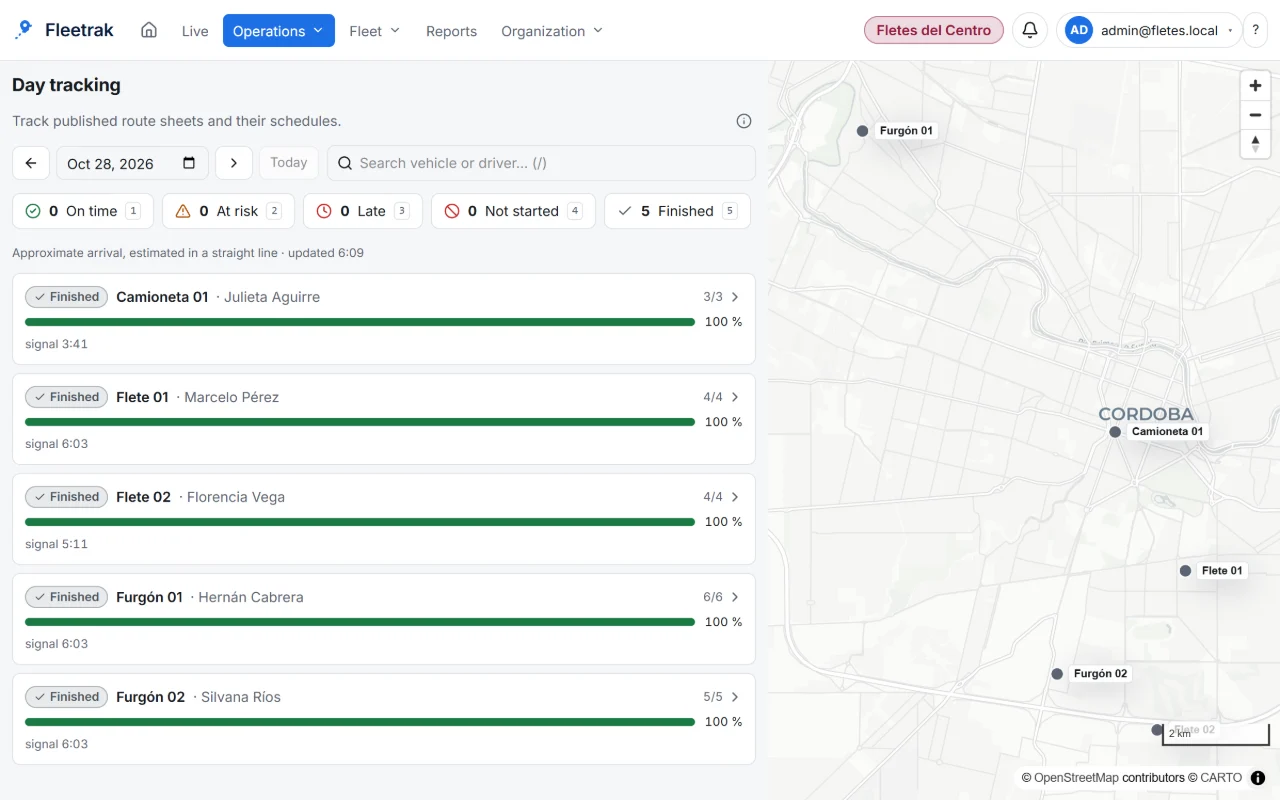
Today’s tracking 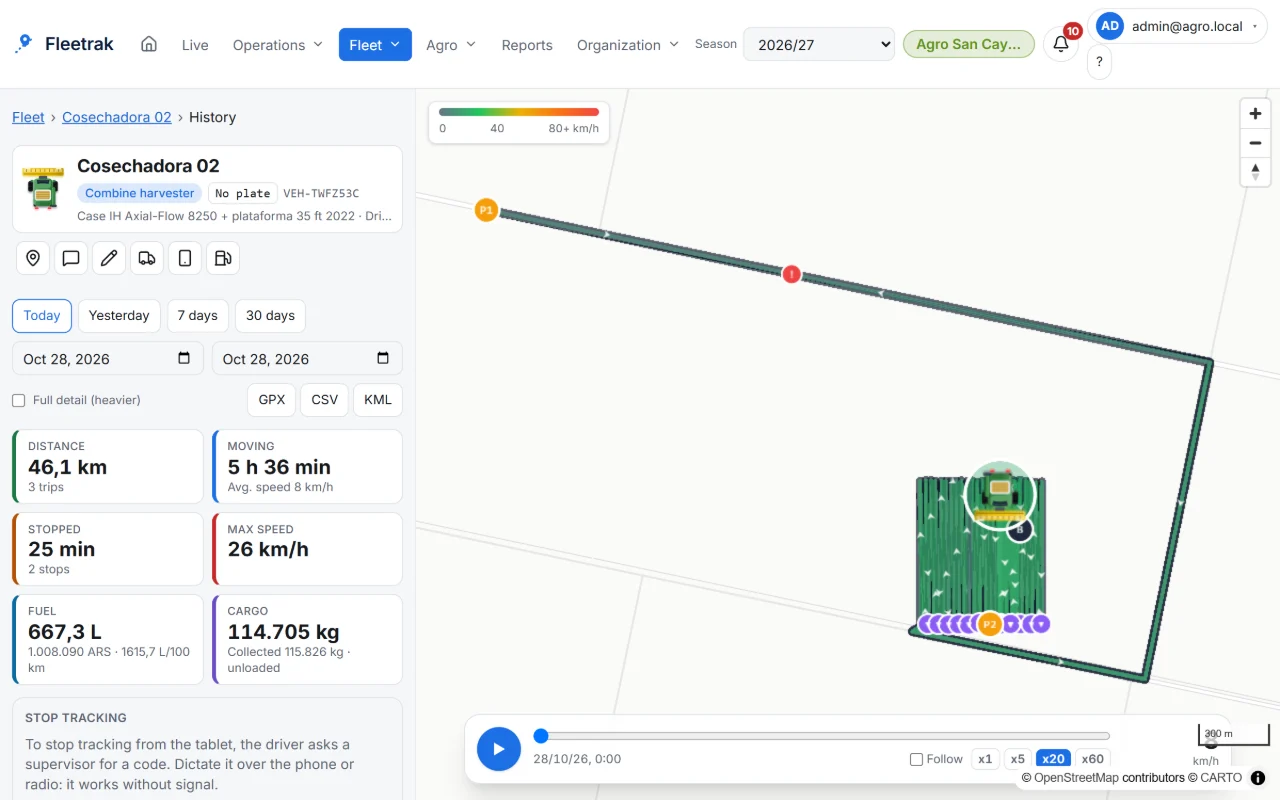
Every machine’s track inside the field 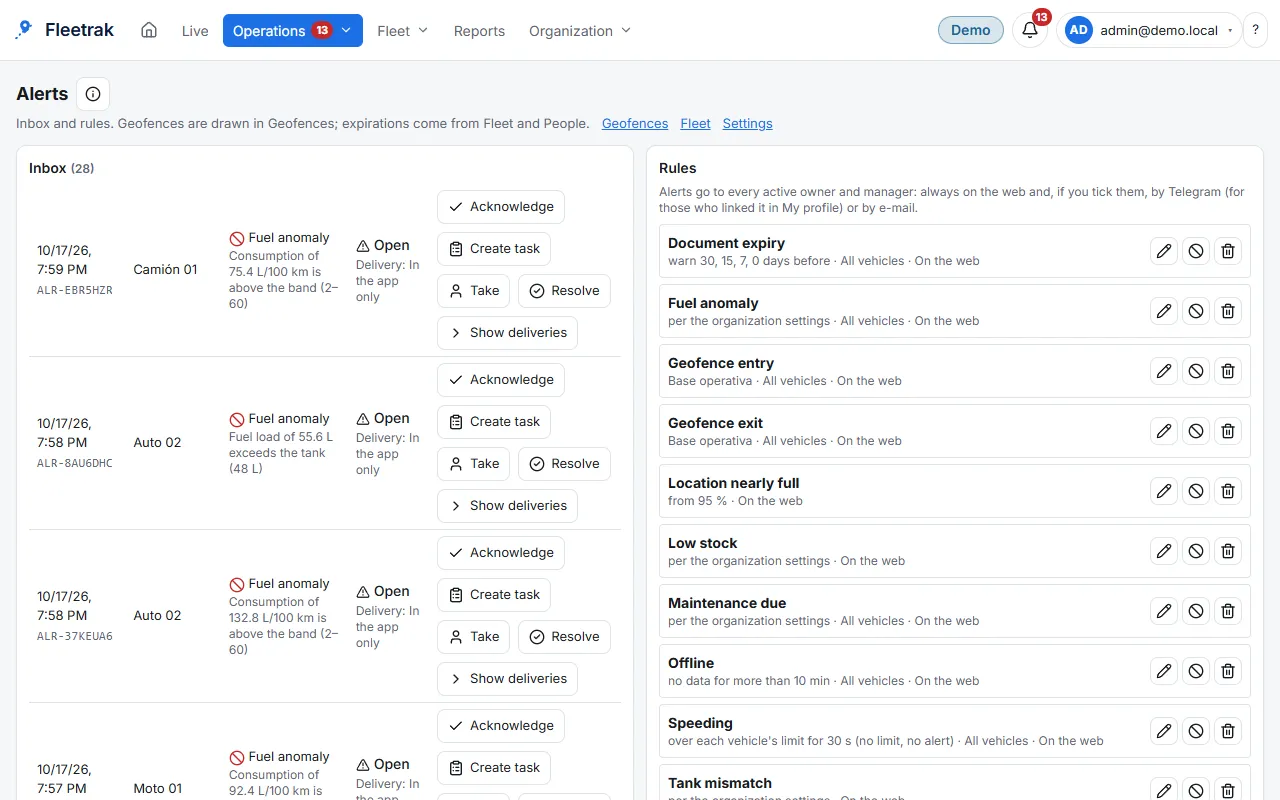
Speed, geofence and stop alerts
Screens from the real product with simulated data from the farming demo.
Available today
- Live tracking of trucks, vans and cars, with trips and stops per day
- Multi-stop route sheets: the driver follows them in the app, even without signal, and marks each arrivalWith conditions
- Delivery or pickup orders, by spreadsheet or API, spread across vehicles, with their status derived from what the driver doesWith conditions
- Day board with delays, a tracking link for your customer, and fuel, insurance and servicing about to expireWith conditions
Not available yet: ask us
- Photo and signature as proof of delivery
- Trip paperwork, such as delivery notes and waybills
A working day, end to end
Plan and assign
You load the orders by spreadsheet or API and build the day's route sheet, split across vehicles.
Work and record
The driver follows the stops in the app and marks each arrival and result; without signal it is saved and uploaded later.
Review and control
You see delays and estimated arrival times on the day board, and your customer follows the order with a link.
Close and report
The order ends up delivered or not delivered, and you export the report for the period.
Who does what
- Dispatch: loads orders, builds the sheets and follows the day board.
- Driver: follows the sheet in the app, marks arrivals and results and records fuel.
- Administration: reviews kilometers, fuel and document expiry dates.
What was tested and what was not
Route sheets, orders and the day board were tested end to end with a simulator, and the route sheet on a real Android tablet, with and without signal. The tracking link and the e-mail notices were tested with test data; the estimated arrival time has not been compared with real trips yet.
What you need and what to know
- One Android app per driver; iPhones are tracked with Traccar Client, position only.
- Email notifications require email delivery to be enabled; your customer can open the tracking link without installing anything.
- Orders through the API use a key created by the account owner; addresses are located with the configured address service.
Frequently asked questions
Is there proof of delivery with a photo and signature?
Not yet: it is planned. Today the driver marks the arrival and the result of each stop, delivered or not delivered.
Does it work for deliveries with many stops?
Yes. Route sheets support many stops, orders are split across vehicles and their status is derived from what the driver does.
Does it add safety for drivers?
Yes: from the app the driver requests help with one tap (emergency, assistance, fuel or spare part). An emergency always reaches the office inbox as urgent, with the location and time, and the office sees where the vehicle is on the live map. Without signal, the request is saved and sent on its own when the connection returns; if nobody receives it, the app tells the driver. It does not call by phone or alert emergency services yet.
Try it with your operation
Create your company and try what is available today, or tell us about your case so we can evaluate the scope.