Review any route and prove what happened
Every day is organized into trips and stops, with the full track to replay or export.
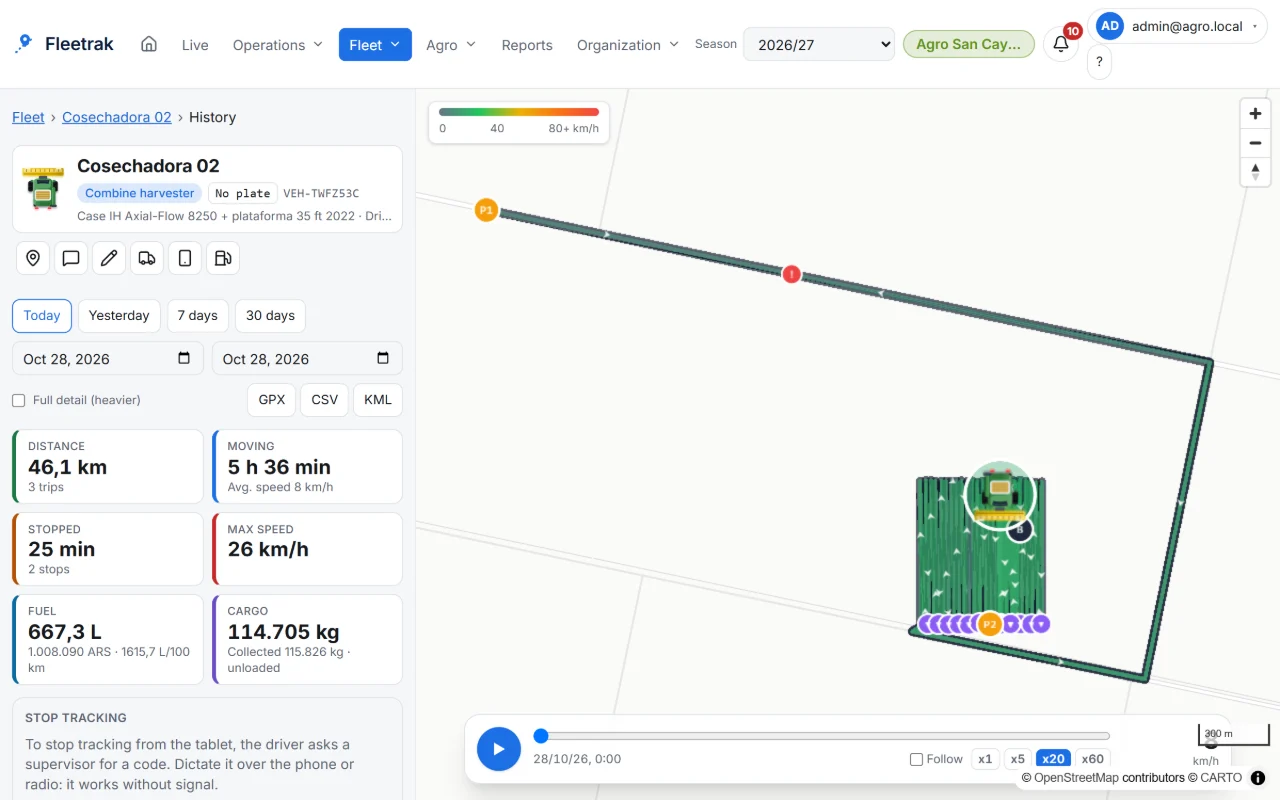
Route playback
Pick the day and replay it at different speeds. Isolate a trip or stop from the list to see it alone on the map.
- Quick ranges and a day-by-day agenda
- Distance of each trip over the full track
- Offline stretches marked on the map
Automatic trips and stops
The system detects when the vehicle starts and stops, and shows duration, distance and place for each leg.
- Fuel, fills and alerts nested in each trip
- If late data arrives, trips are recalculated automatically
Export and long ranges
Download the route for other tools. Over weeks or months you first see a light per-trip overview and then open one trip’s detail.
- GPX, CSV and KML
- Fast overview for ranges longer than 3 days
This is what Fleetrak looks like
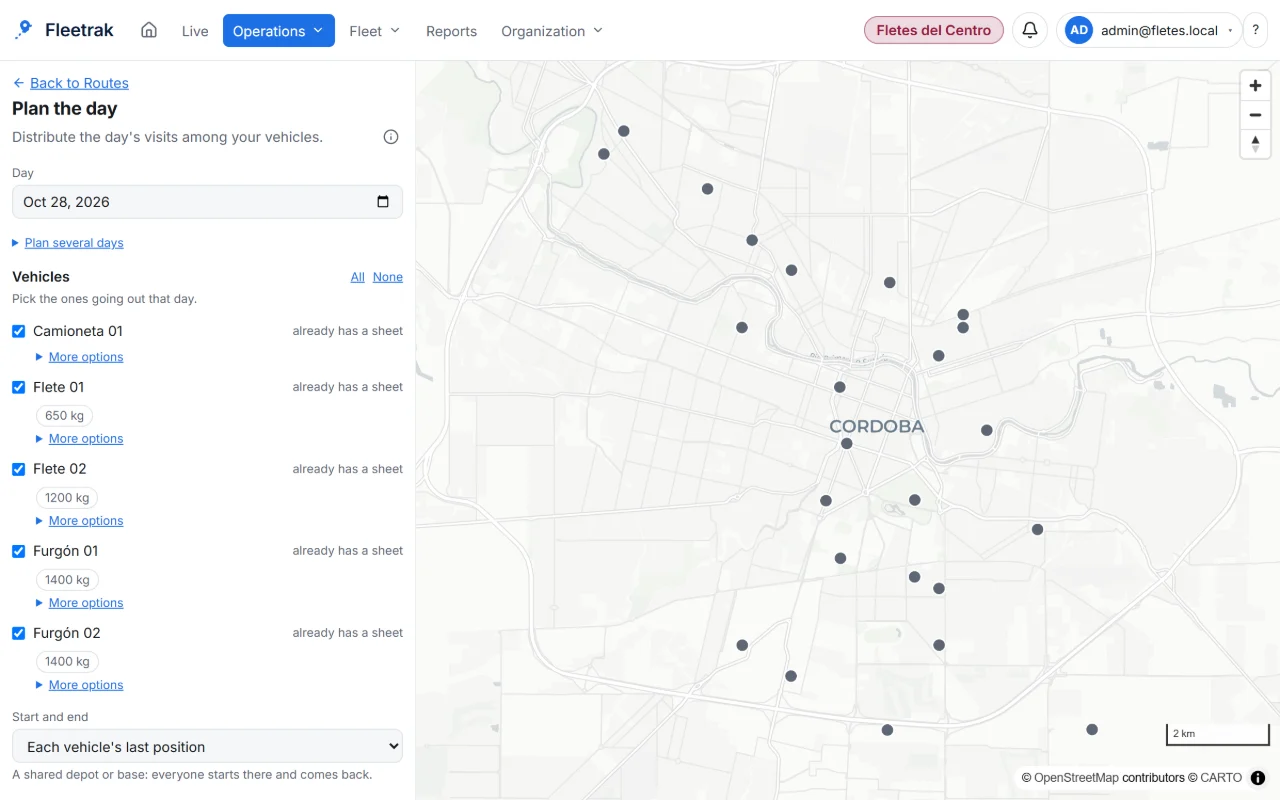
The day’s visits on the map 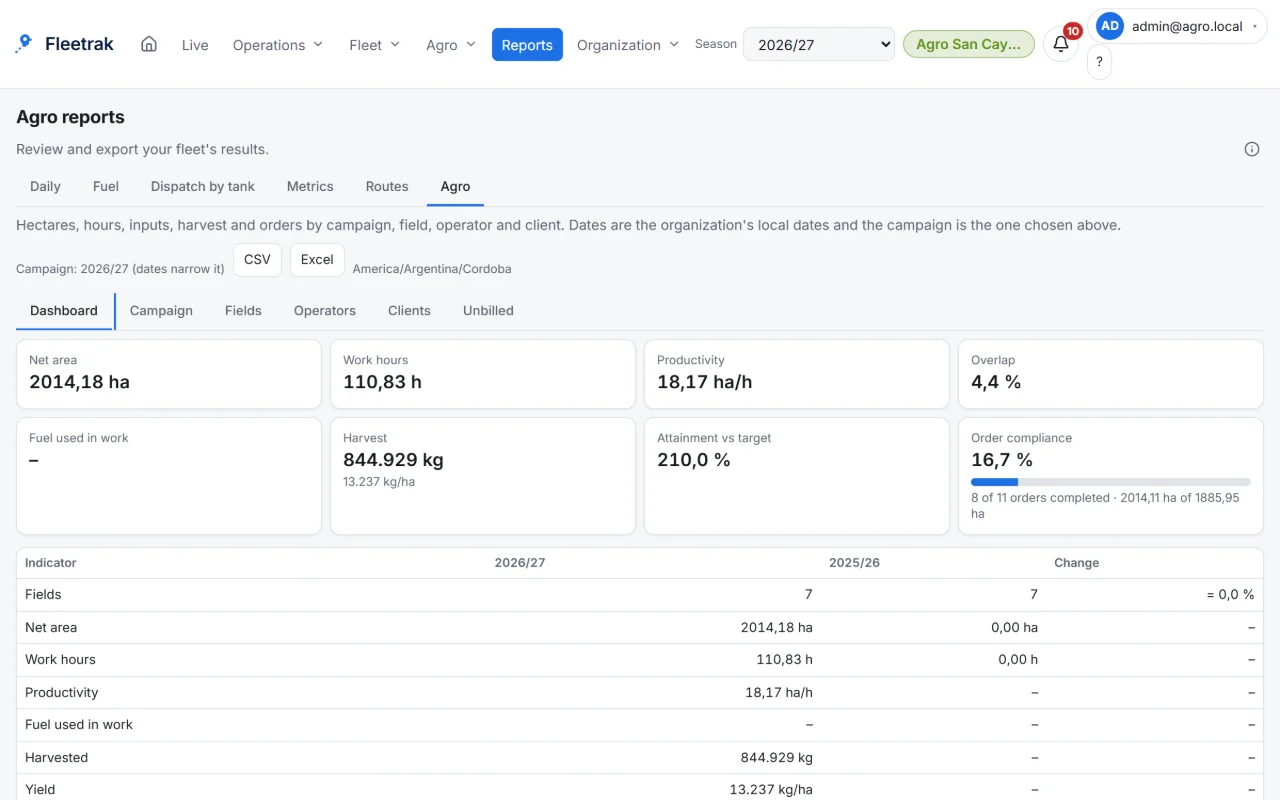
Farm reports by field, operator and grower
Screens from the real product with simulated data from the farming demo.
How you use it
Pick a vehicle and a day
Quick ranges or custom dates, in your company’s time zone.
Review trips and stops
Each trip with its distance and each stop with its duration. Pick one to isolate it on the map.
Replay or export
Replay the route at x1, x5 or x20, or export it as GPX or CSV.
Try it with your own fleet
Create your company for free, with no card, and link your first phone in minutes.
Create my company