An app that does not lose points when the signal drops
Fields, highways and sheds: the app records the route on the phone or tablet and syncs it when the connection returns.
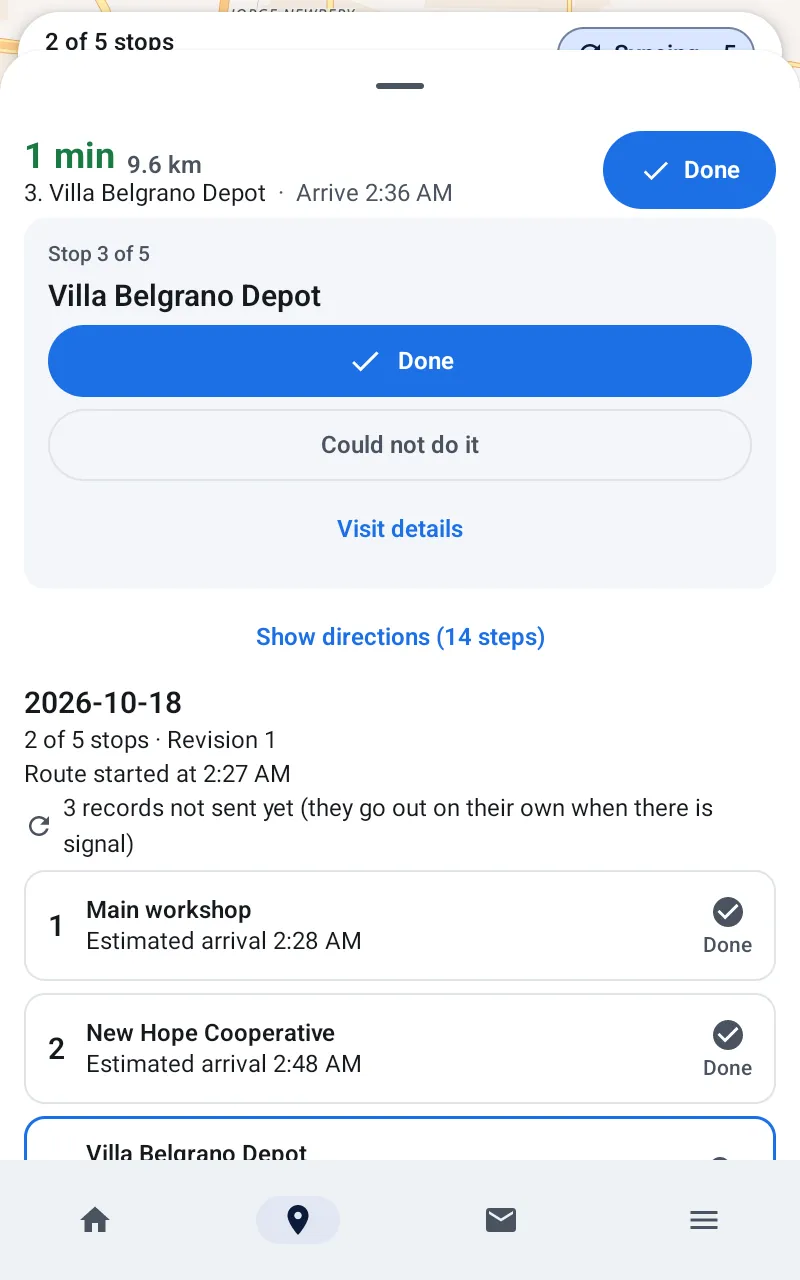
Save first, send later
Each position is saved on the phone or tablet before sending is attempted and deleted only after receipt is confirmed.
- Survives phone or tablet restarts and expired sessions
- Never thins or trims the track: if storage runs out, it stops recording new points, warns you and resumes on its own
Sync without duplicates
When the connection returns it sends the newest point first so the map updates right away, then the backlog in order.
- Resending never duplicates points
- History fills in by itself when the backlog arrives
Easy to install
Link the phone or tablet with a code or QR from the vehicle’s page. iPhones and hardware trackers connect through OsmAnd or Traccar Client.
- Sampling configurable per company and per phone or tablet
- Any Android phone or tablet, no dedicated hardware
This is what Fleetrak looks like
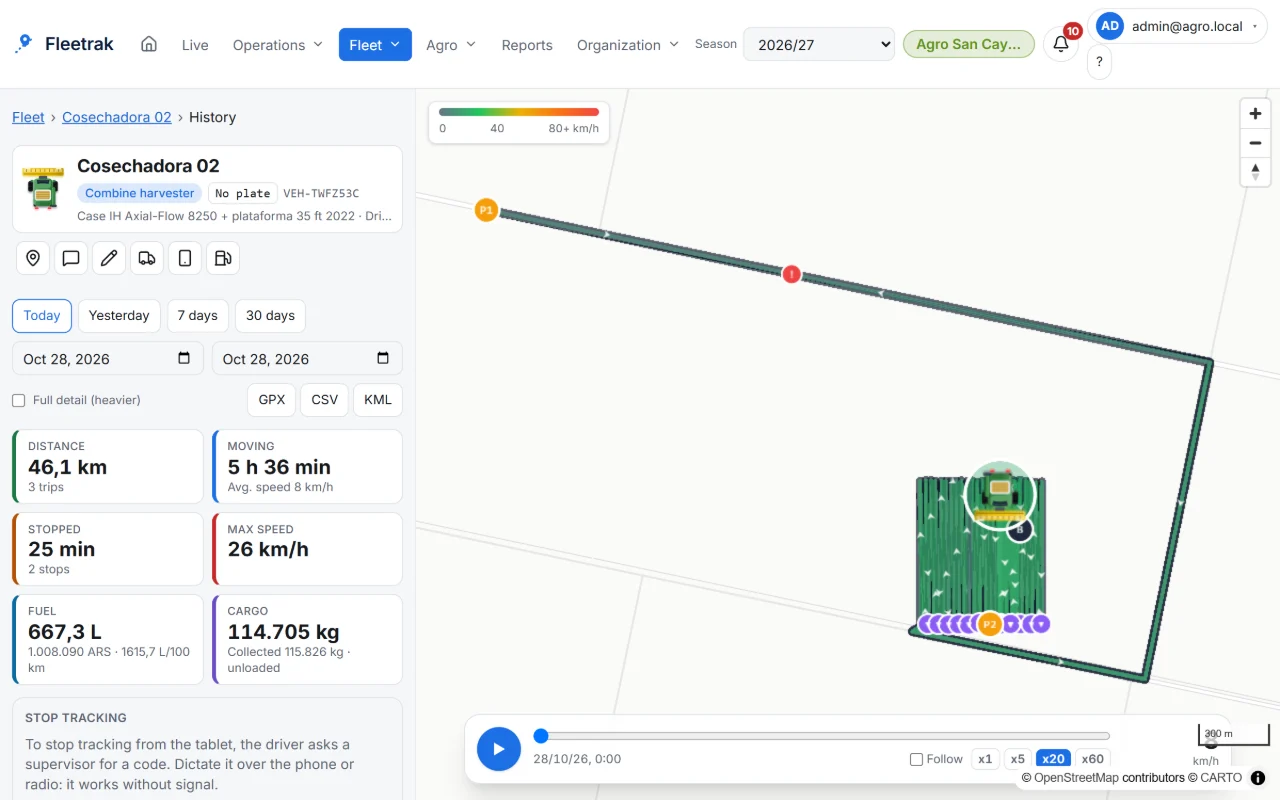
Every machine’s track inside the field 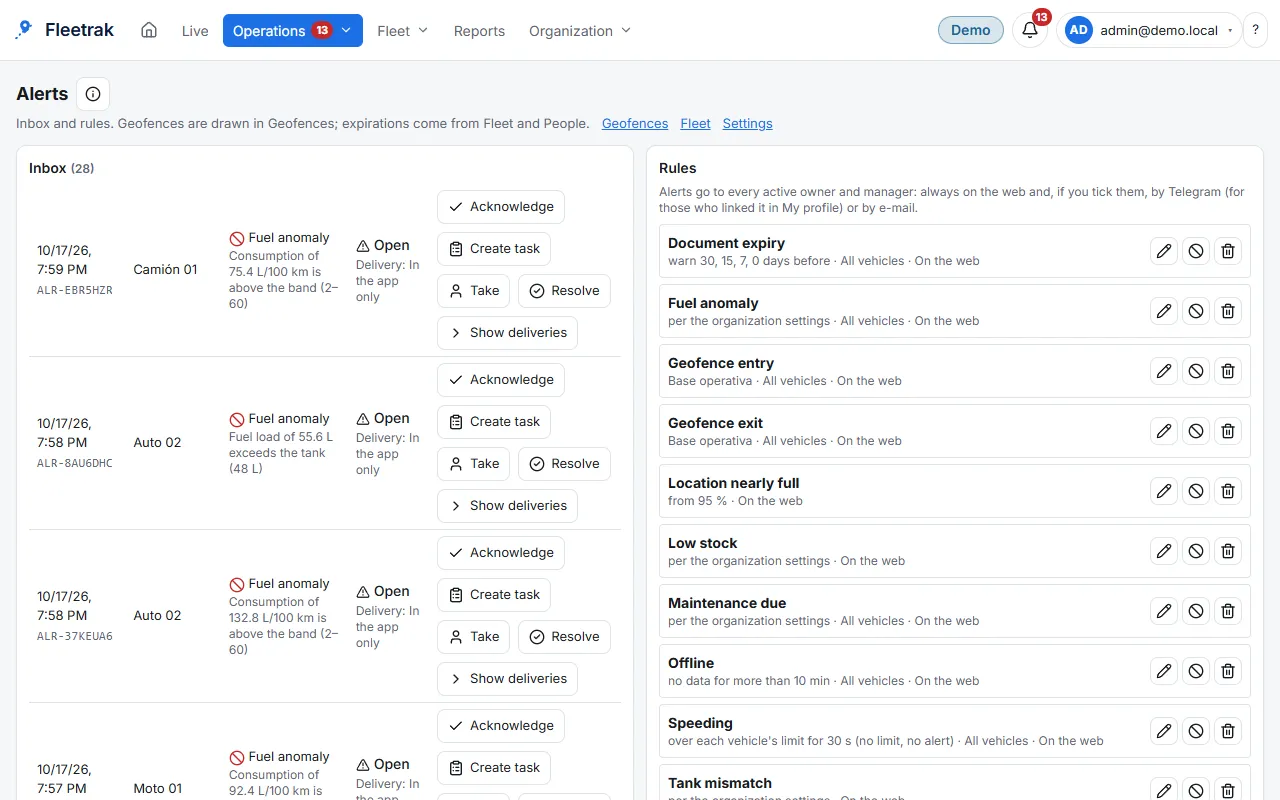
Speed, geofence and stop alerts
Screens from the real product with simulated data from the farming demo.
How you use it
Install and connect
Install the Android app and connect it with a QR code.
Work as usual
The app saves every position on the phone or tablet, with coverage or without.
Let it upload by itself
When the connection returns it uploads your current position first and the history after, with no duplicates.
Try it with your own fleet
Create your company for free, with no card, and link your first phone in minutes.
Create my company