Know how much fuel comes in, goes out and gets lost
Stock that is the sum of its movements, with tanks, tankers and vehicles in one place.
Fuel
Record fills with their source tank, which is drawn down automatically, and compare the physical reading with what the system says.
- Tank reconciliation with adjustment
- Alerts for tank differences and fuel anomalies
- Fuel and dispatch-by-tank reports
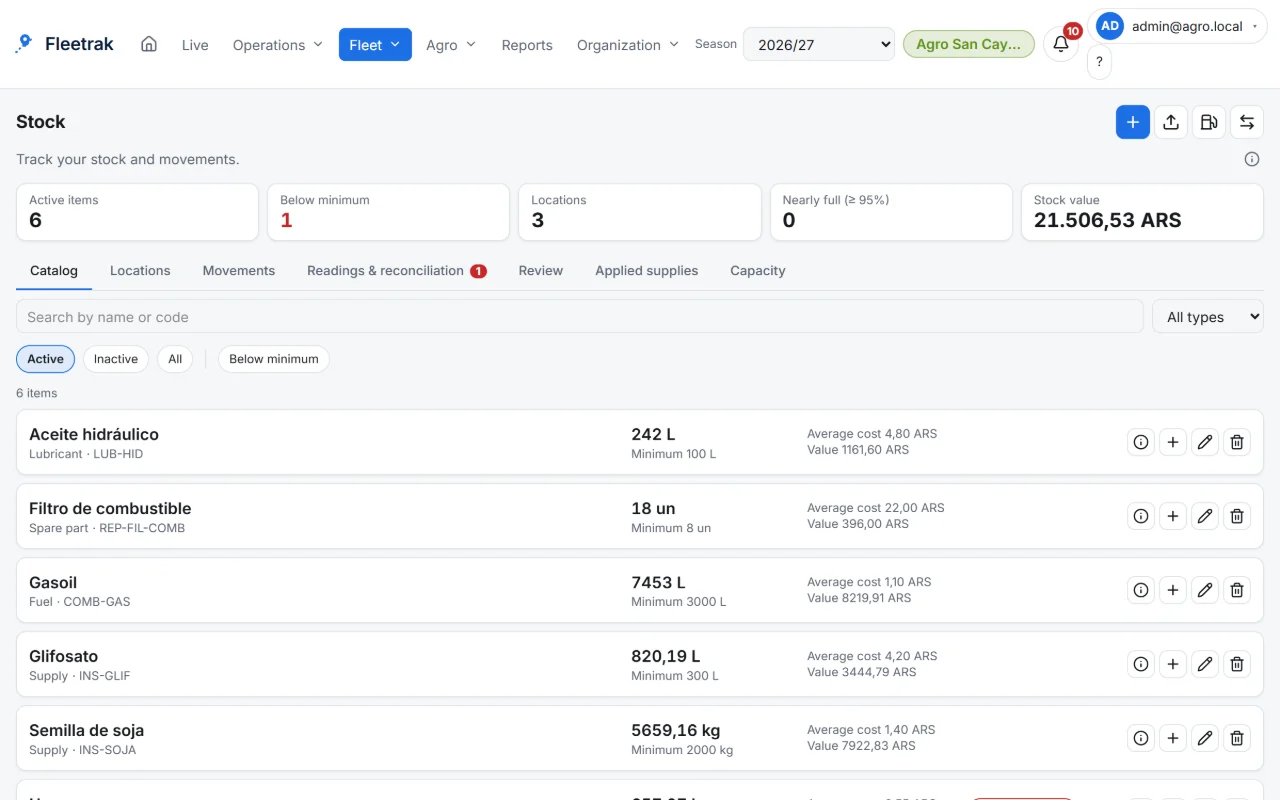
Stock and locations
Item catalog, locations with capacity (warehouse, tool room, silo, tanker) and entry, exit, transfer and adjustment movements.
- Never goes negative or above capacity
- Item import from CSV
- Low stock and nearly full location alerts
Parts and inputs
A vehicle’s service can draw parts from stock, and in agriculture the work draws dose per hectare.
- Actual versus theoretical consumption
- Capacity, range and cost per vehicle
This is what Fleetrak looks like
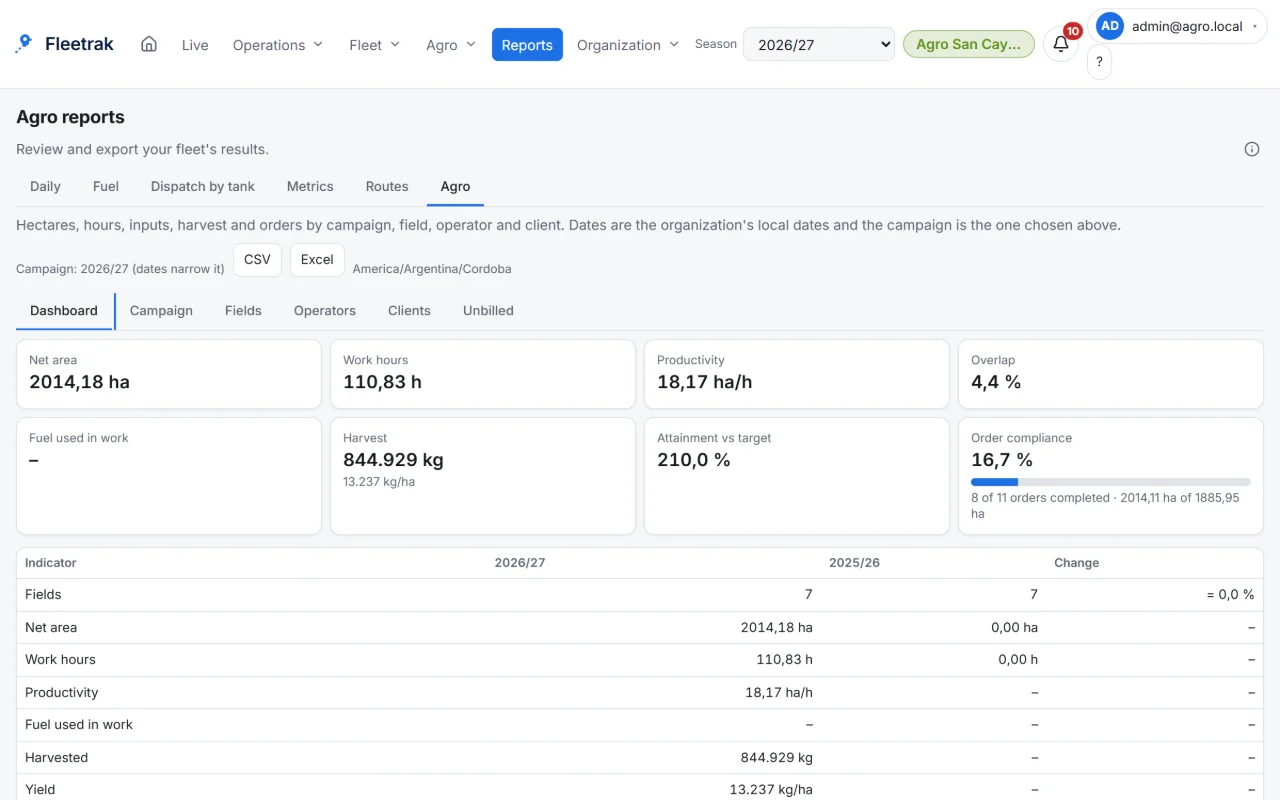
Farm reports by field, operator and grower 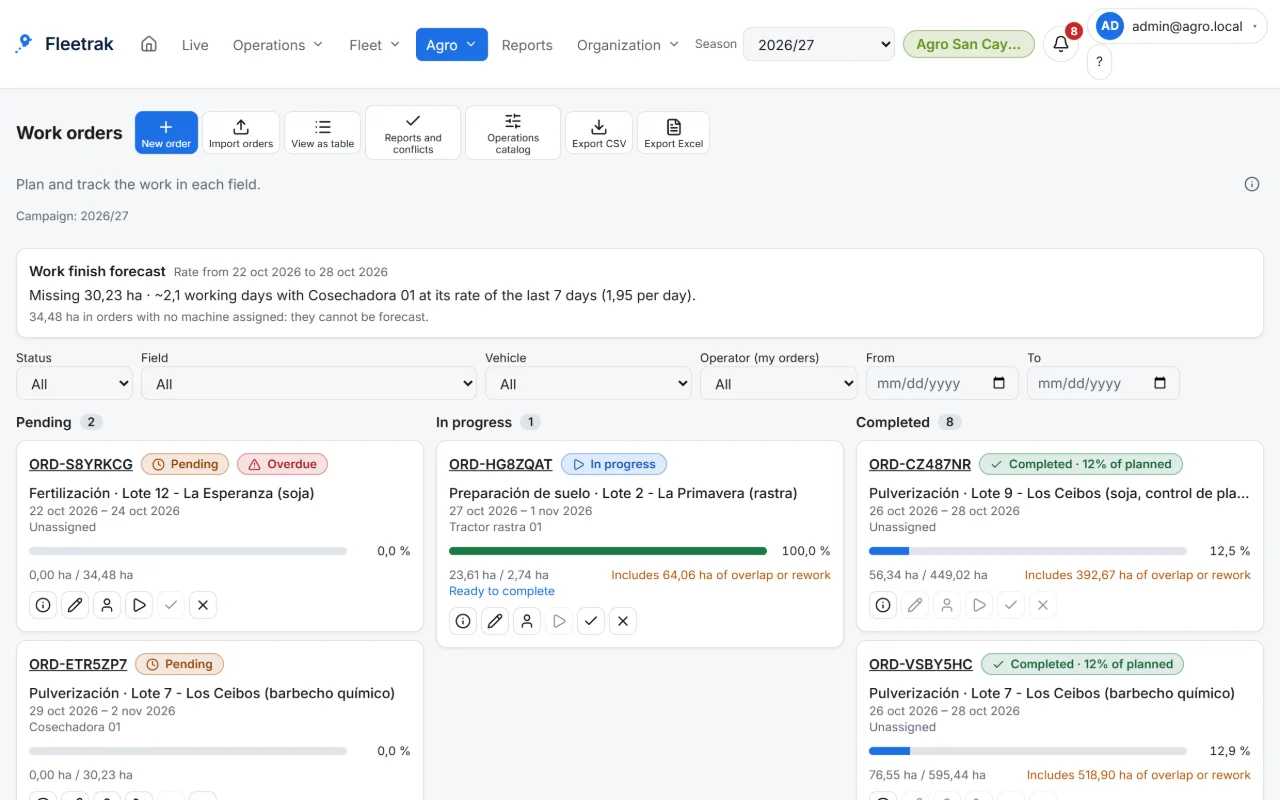
Farm work orders by field and machine
Screens from the real product with simulated data from the farming demo.
How you use it
Create your tanks and items
Depots, site tanks and bowsers tied to a vehicle; import the catalog from CSV.
Log fills and readings
A fill with a source tank draws down that tank, and the physical reading is compared with the system.
Spot what doesn’t add up
Anomaly alerts, plus consumption and per-tank dispatch reports.
Try it with your own fleet
Create your company for free, with no card, and link your first phone in minutes.
Create my company