Prove what was worked, in which field and when
For farms and job sites: the machines’ path becomes hectares, hours and completed orders.
Fields and coverage
Import your fields (GeoJSON, KML, shapefile) and see progress, net area and overlap of each task.
- Map colored by progress
- Export fields to KML
Work by day
Each work session adds hectares, hours and hectares per hour, and you can recalculate it when you adjust the settings.
- Export to CSV and Excel
- Harvest: kilos and yield per field
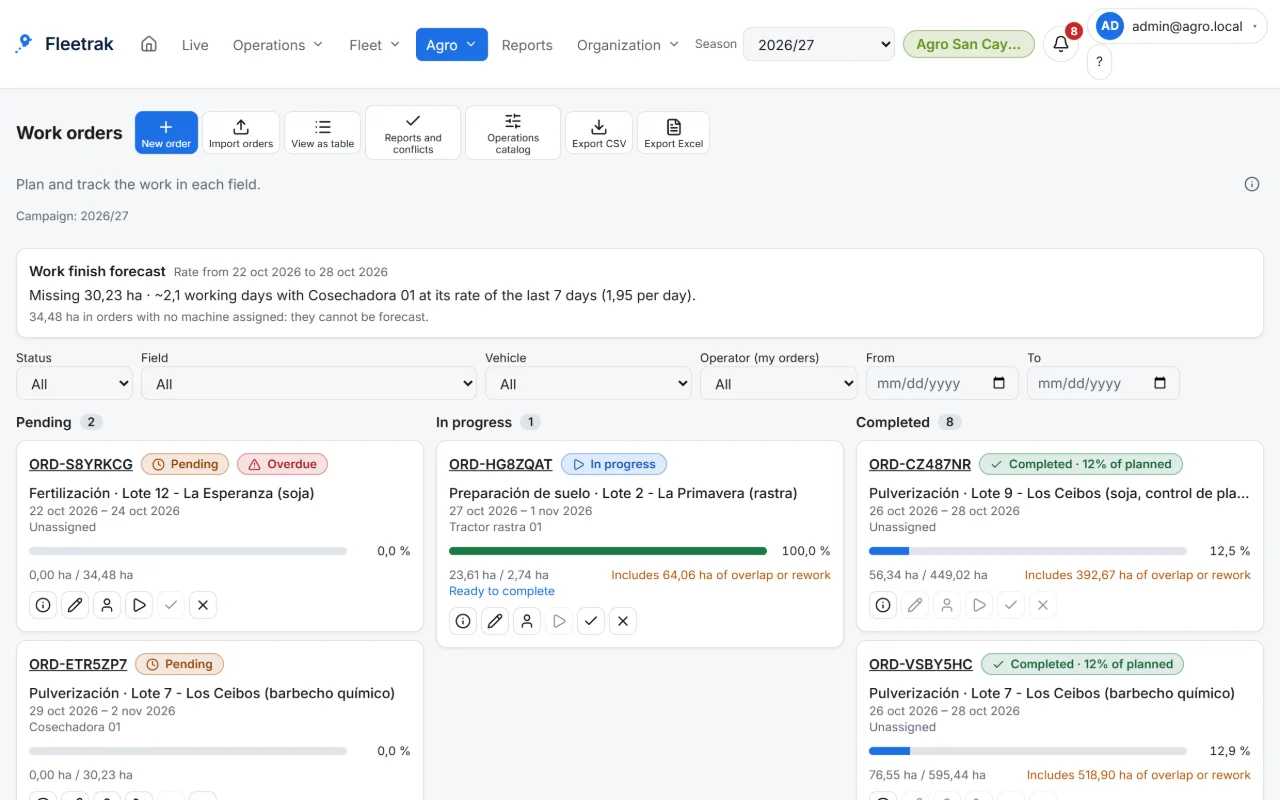
Seasons and orders
Organize seasons with crop and variety per field and check each order against what was done.
- Alerts for order without work, work outside the field and late order
- Per-field permissions: each user sees only their fields
This is what Fleetrak looks like
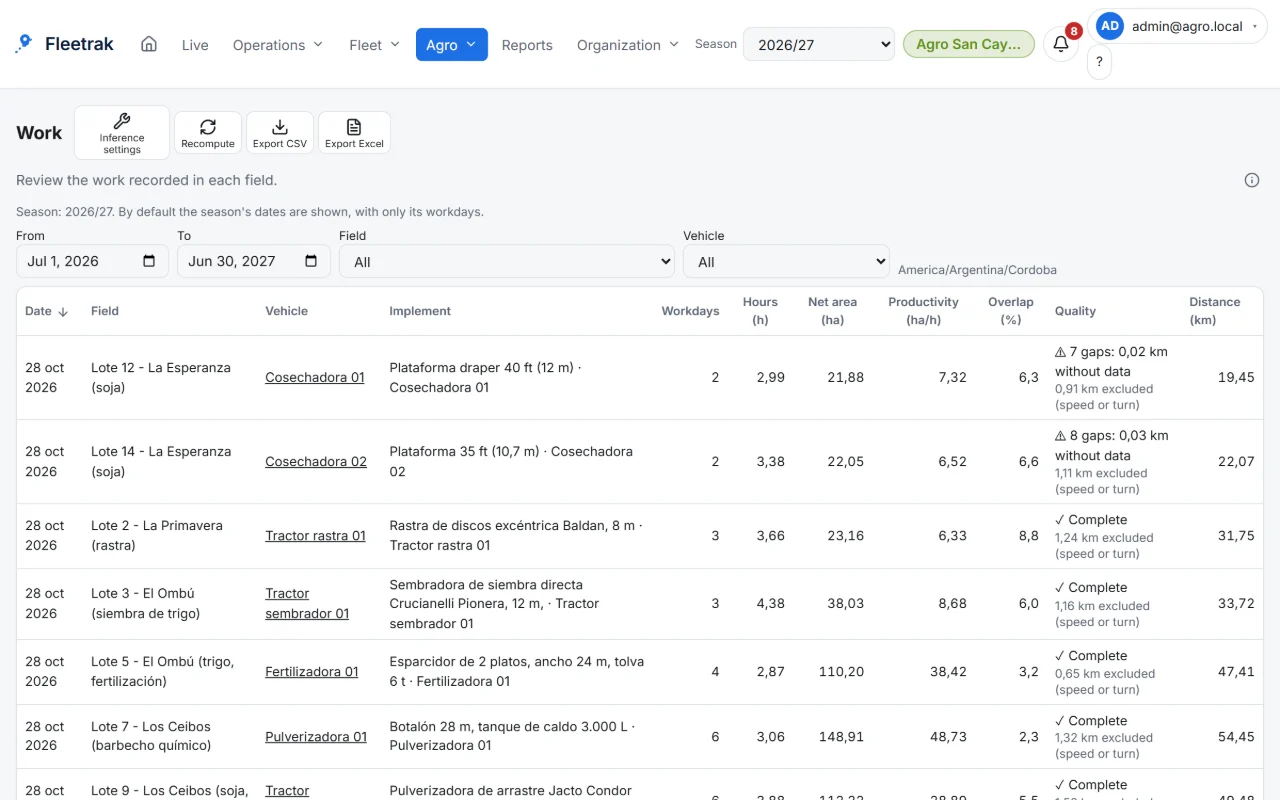
Hectares worked per field, net and with overlap 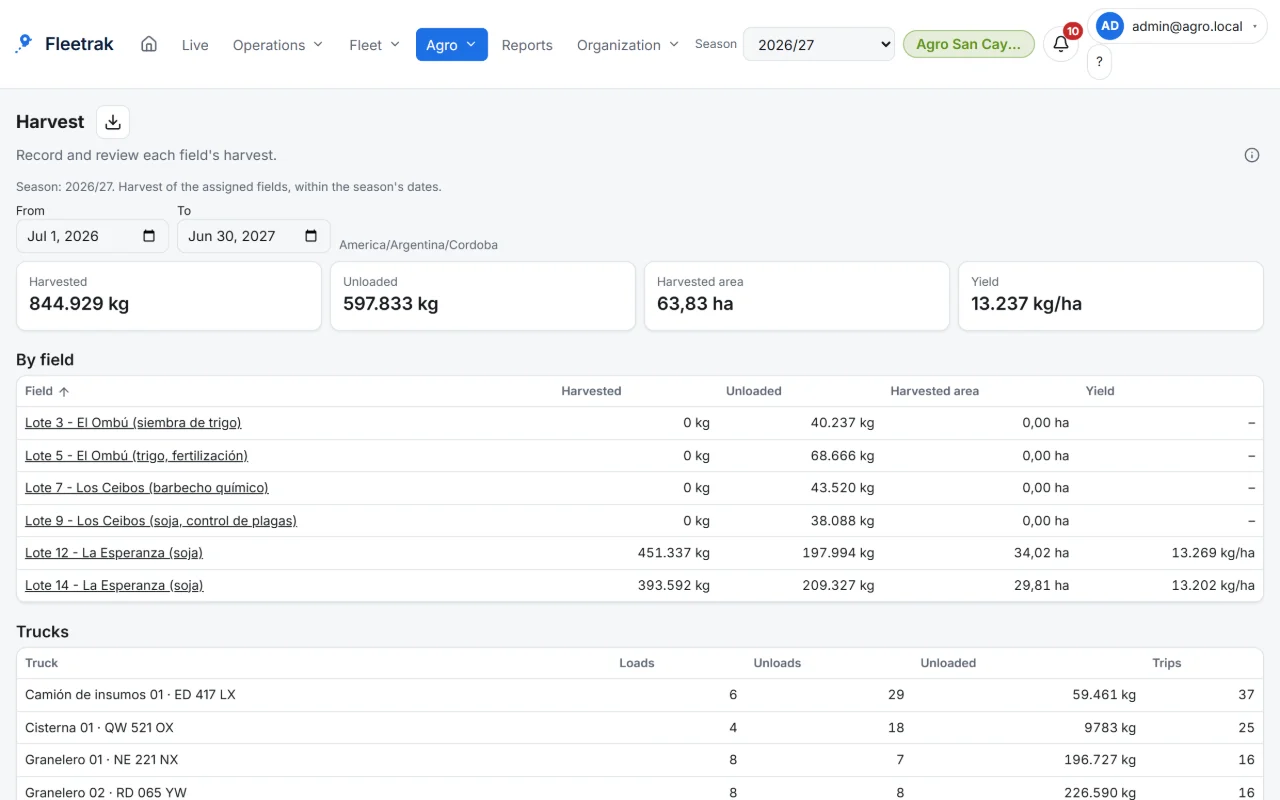
Harvest control and yield by field
Screens from the real product with simulated data from the farming demo.
How you use it
Import your fields
GeoJSON, KML or a zipped shapefile, with validation.
Let the work be calculated
Work sessions come from each machine’s route inside the field.
Compare with the order
Planned against done: hectares, hours and inputs.
Try it with your own fleet
Create your company for free, with no card, and link your first phone in minutes.
Create my company