Reports ready to share, in your time zone and units
Days are cut at your company’s local time and figures show in the units you prefer.
Fleet reports
Distance, moving and stopped time, stops and alerts per vehicle and per day.
- Day cut-offs in the company’s time zone
- Metric or imperial units
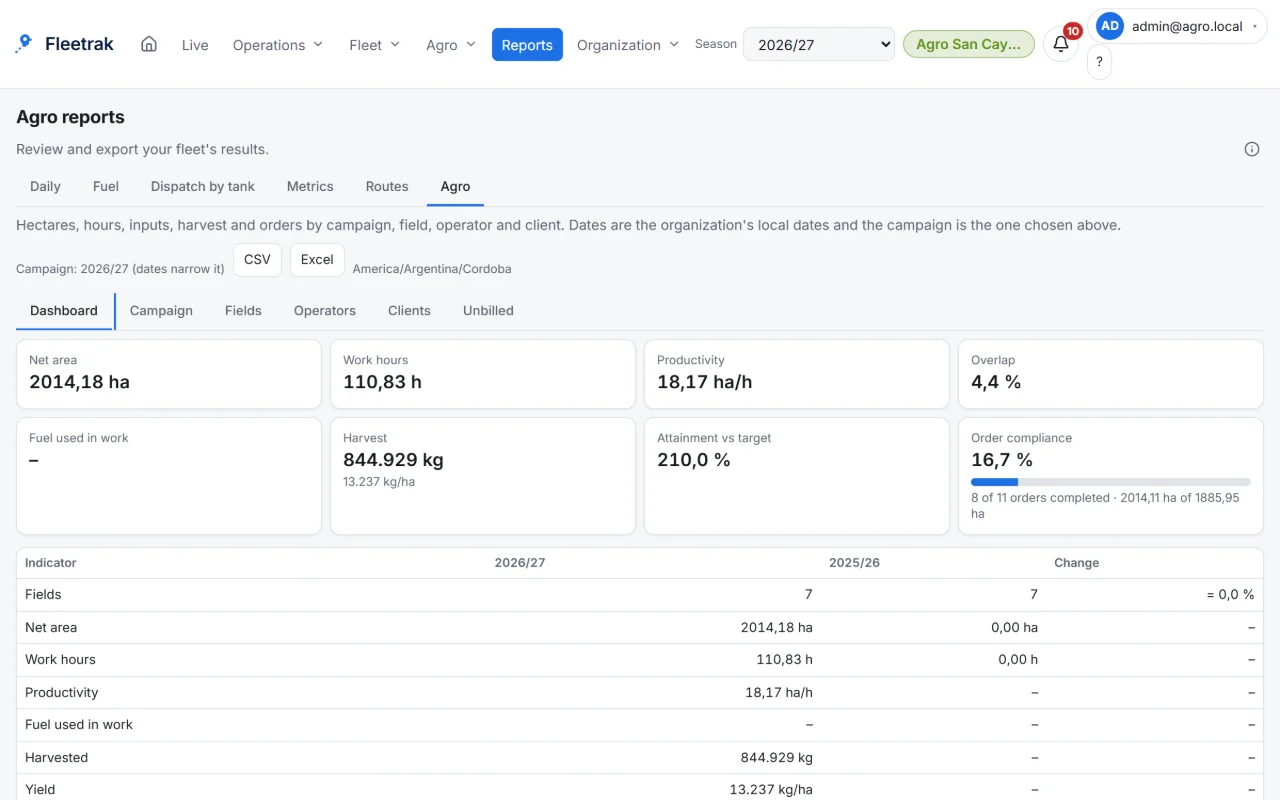
Agriculture and stock reports
By season, field, operator and client; fuel, dispatch by tank and input consumption.
- Services rendered ready to invoice, without prices
- Season dashboard against the previous one
Privacy and control
Who sees what is set by role, and each vehicle allows exporting or deleting its data, with an audit log.
- Recorded consent and configurable retention
- Spanish, English and Brazilian Portuguese
This is what Fleetrak looks like
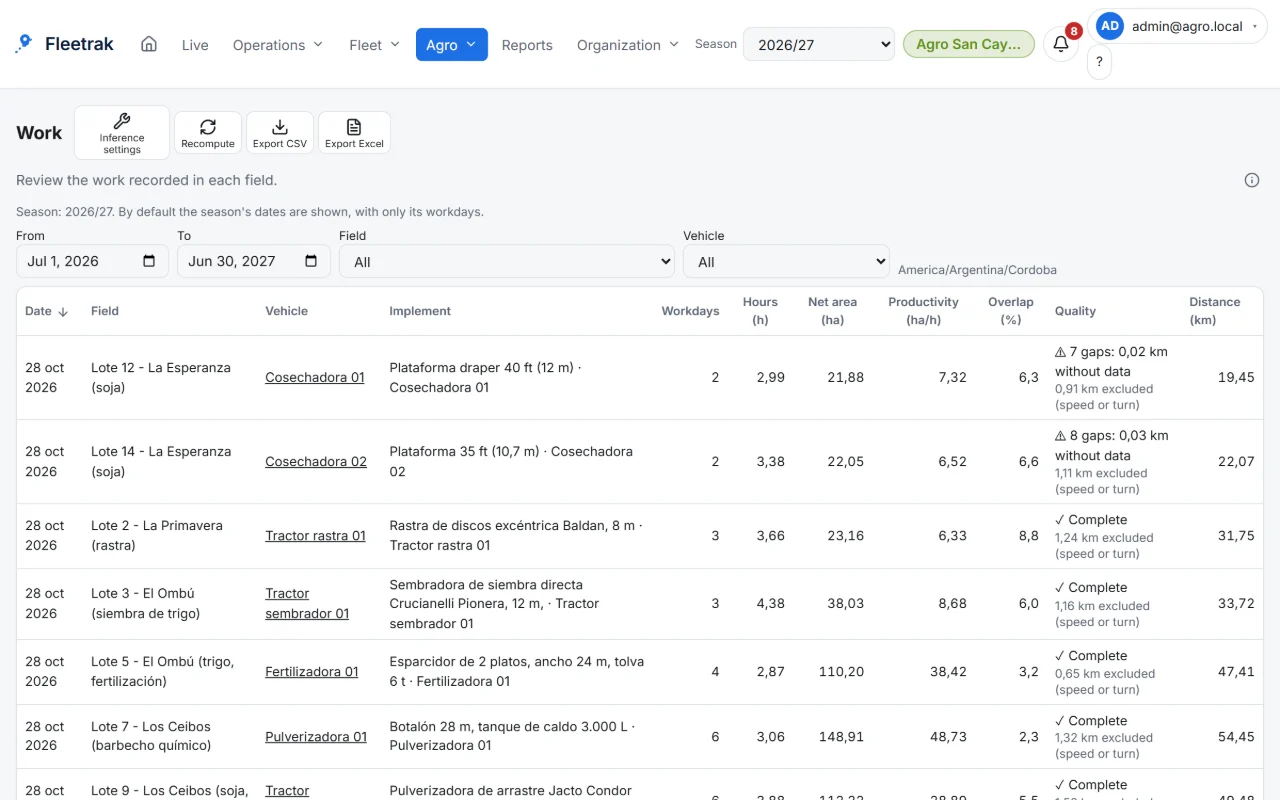
Hectares worked per field, net and with overlap 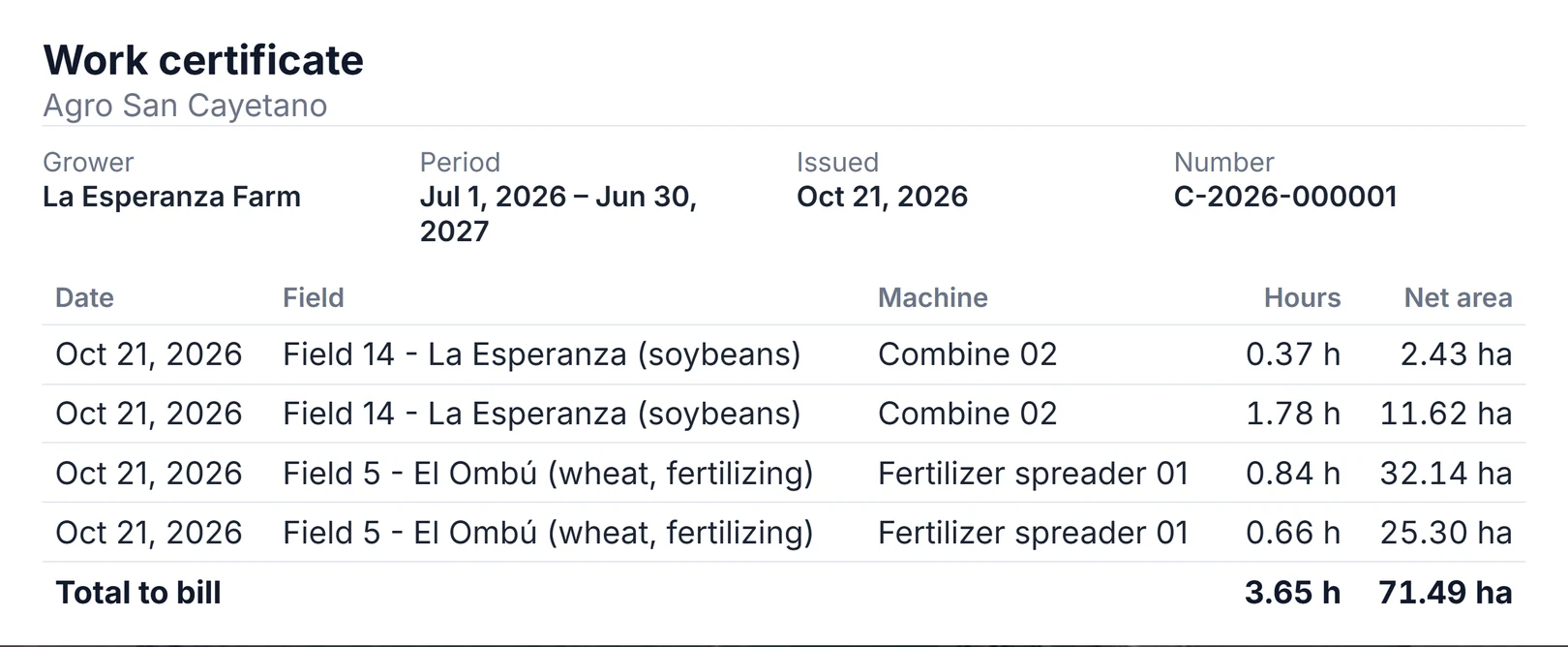
Work certificates for contractors
Screens from the real product with simulated data from the farming demo.
How you use it
Pick the report
Daily, by vehicle, fuel, or agriculture by season, field or operator.
Set the period and units
Day cut-offs in your company’s time zone, in metric or imperial units.
Download
As CSV or Excel, ready to share.
Try it with your own fleet
Create your company for free, with no card, and link your first phone in minutes.
Create my company