Get told before they call you
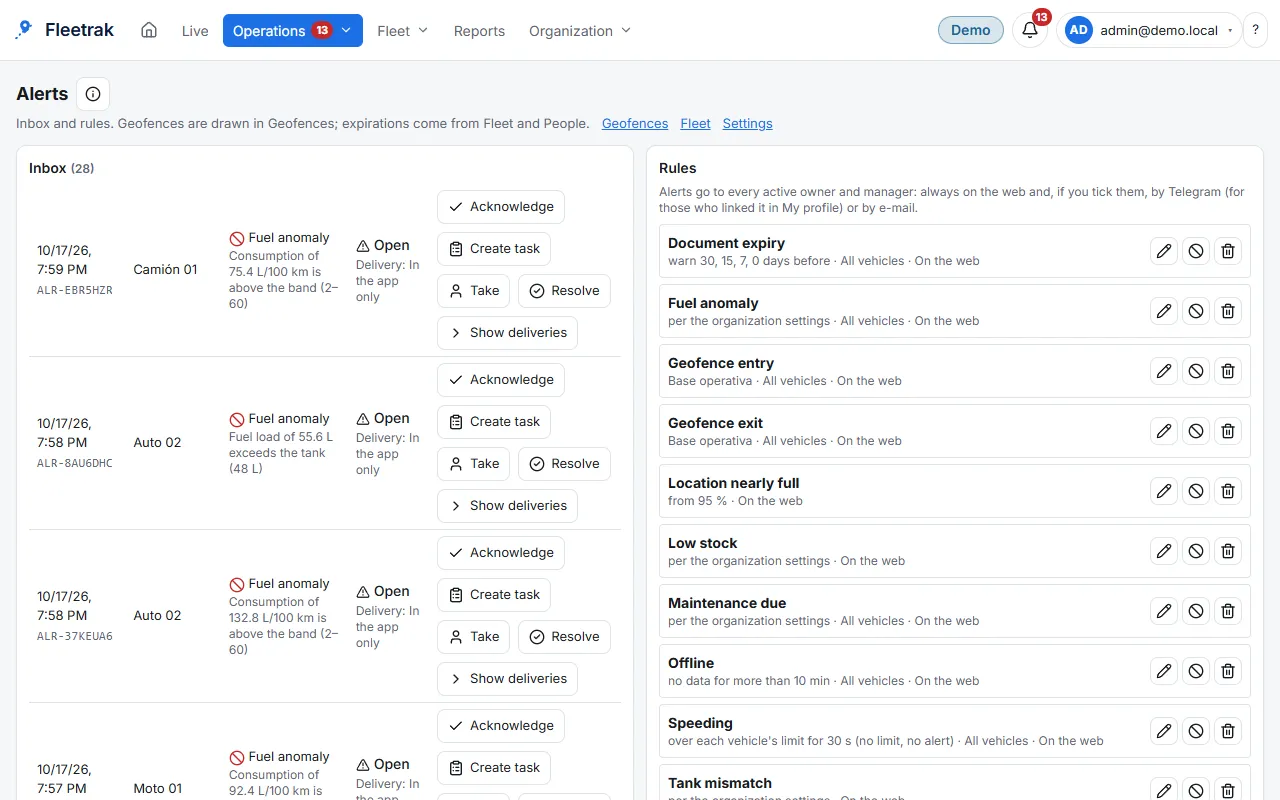
Draw your zones, set the rules and get the alert on the web or by Telegram.
Geofences
Draw a polygon on the map or import your zones from a file, with validation before saving.
- Import GeoJSON, KML and shapefile (.zip)
- Preview and geometry validation before saving
Alert rules
Create rules by type. Alerts can be acknowledged from the bell in the header.
- Entry, exit and outside working hours
- Speeding and offline vehicle
- Low stock, tank differences and late orders
No message floods
A tablet that returns after days without signal uploads what it recorded, but what happened hours ago goes to the history without firing dozens of notices.
- Events older than 30 minutes are flagged as late and not notified
- Web and Telegram notifications; email when enabled
This is what Fleetrak looks like
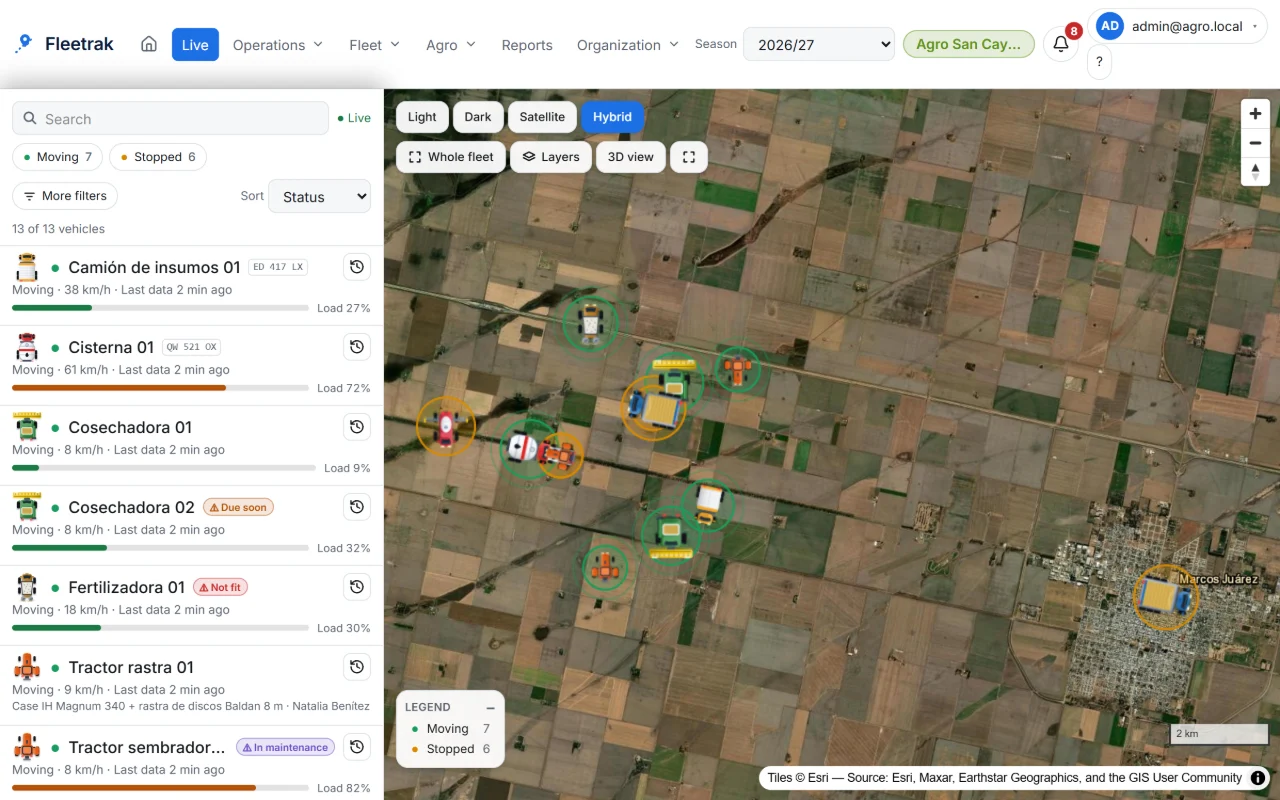
Live GPS tracking for farm machinery 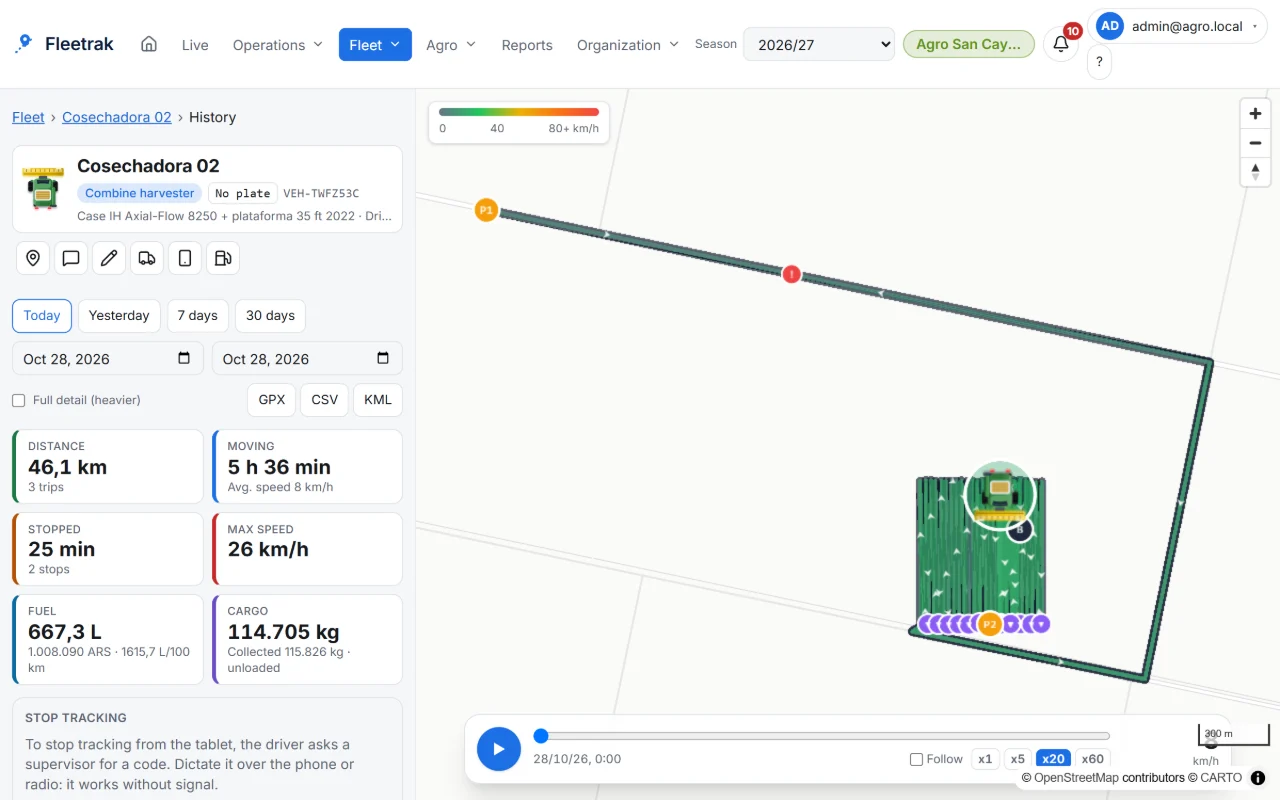
Every machine’s track inside the field
Screens from the real product with simulated data from the farming demo.
How you use it
Draw or import a zone
Draw a polygon on the map or import a GeoJSON or KML file.
Create the rule
Entry, exit, speed or offline.
Get the alert
In the web notification bell and Telegram, and by email when enabled. Old events do not trigger notifications.
Try it with your own fleet
Create your company for free, with no card, and link your first phone in minutes.
Create my company